

Mastering 3D Printing Time Estimation: Your Essential Guide
Have you ever started a 3D printing job only to find that it takes twice as long as you expected? Accurate print time estimates are critical for additive manufacturing. It affects project scheduling, costing, resource allocation, and ultimately customer satisfaction. Whether you’re a designer prototyping a new concept or an engineer planning a production run, it’s critical to understand how long a print will take. This guide demystifies 3D printing time estimates, allowing you to plan effectively and avoid costly surprises.
Why accurate estimates are more important than you think
Underestimating print times can lead to more than just inconvenience; It has obvious consequences. Delays can occur in a cascade, delaying post-processing, assembly or delivery schedules. Overestimation unnecessarily ties up the printer, hindering throughput and increasing administrative costs. For a service provider like GreatLight, precise timing underpins our commitment to rapid prototyping and fast-turnaround custom machining. For clients, it ensures realistic budgets and project timelines. Essentially, reliable estimates build trust and enable efficient manufacturing workflows.
Core factors that determine printing time
Print duration doesn’t just happen out of thin air. It is the sum of many interacting variables:
- Part geometry and dimensions: It’s intuitive: larger parts take longer. But complexity plays a bigger role than raw volume. Parts with complex lattice structures, high surface detail, or large overhangs require more toolpath motion (especially many small, complex motions) and potential retraction than a simple block of the same volume. Thin walls may require slower print speeds to maintain quality.
- Floor height: This is a major speed/quality trade-off. Thicker layers (e.g. 0.2 mm) deposit more material faster per pass, significantly reducing print times. However, they result in visible layer lines. Thinner layers (e.g. 0.1 mm) capture incredible detail and smooth surfaces but require more passes, exponentially increasing print duration.
- Fill density and pattern: Solid parts take the longest. Infill reduces material use and weight, but increases complexity. Higher densities (e.g., 50%) create denser internal support structures that take longer to build than lower densities (e.g., 10%) even in gyro mode optimized for speed/power balance. Complex fill patterns can sometimes increase printing time compared to simple patterns such as grids.
- Print speed: This setting directly affects the speed at which the print head moves. High speed = shorter time. However, pushing speeds that are too high often sacrifices surface finish and dimensional accuracy, and may even cause print failures due to vibration or extruder bounce. Finding the optimal speed for the material and geometry is key.
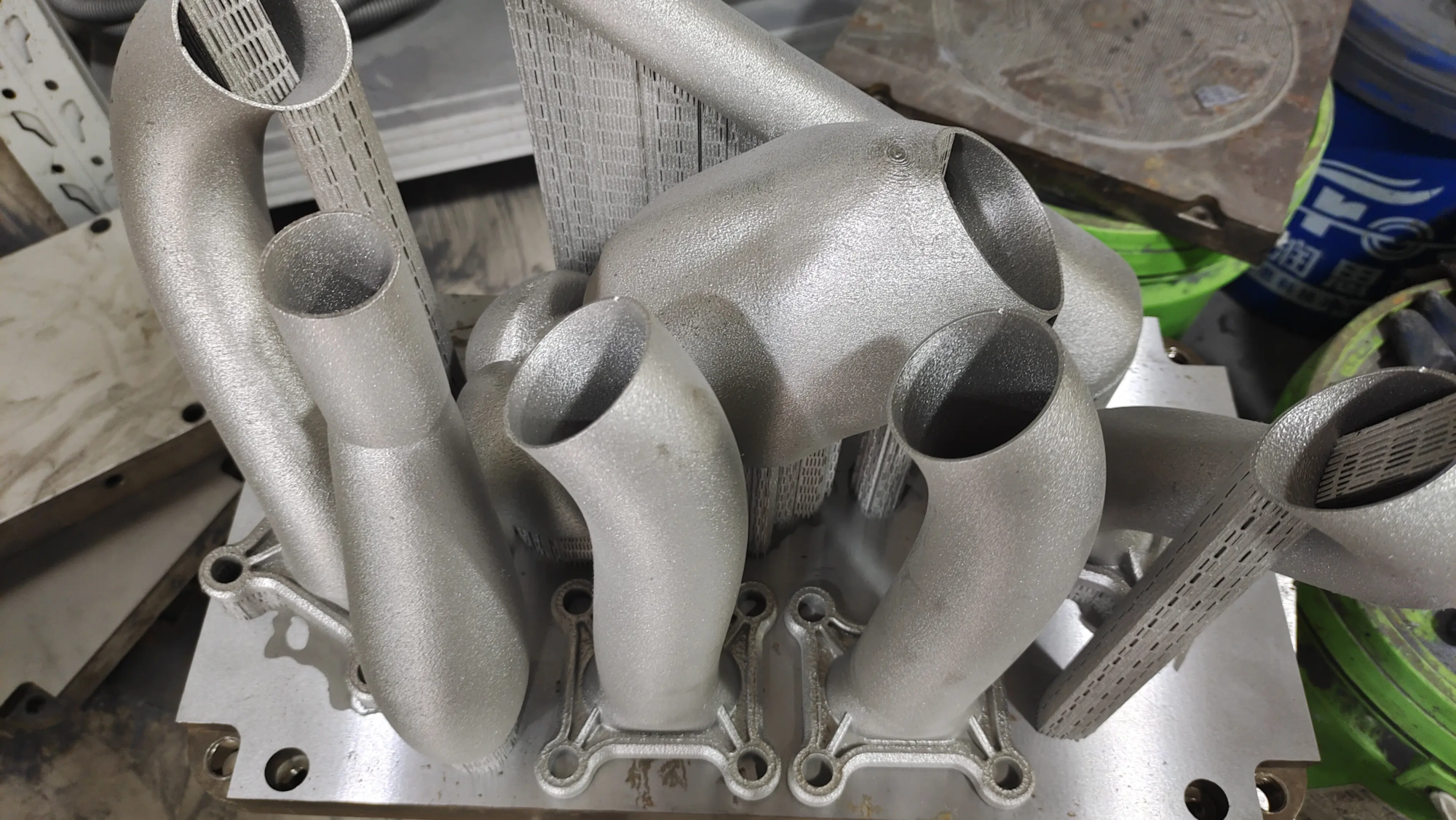
- Printing technology and materials: Different technologies have very different inherent speeds. SLA/DLP typically prints layers simultaneously via light projection, often faster than the sequential deposition of FDM. SLS quickly fuses layers of powder without the need for a separate support. Metal printing, like our advanced GreatLight SLM machines, involves complex laser melting and parameter optimization—timescales that are inherently longer than with plastic, but can produce unparalleled precision metal parts.
- Support structure: Parts with significant overhang require support. Generating and printing supports adds a significant amount of time – the deposition time and the time required to move the printer head to create the supports. Post-processing removal time is also part of the equation. Optimizing support layout and density is critical to minimizing print time.
- Machine warm-up/cool-down and calibration: The often-overlooked stages of thermal management (especially for enclosed printers handling high-temperature materials like engineering plastics or metals) and bed-leveling procedures add a fixed amount of overhead time before and after the actual print sequence.
- Part quantity and lot nesting: Print multiple copies simultaneously on the printing platform able Less time consuming than sequential printing, but only if the parts fit well and don’t require too much sacrificial material (skirt/edge/raft). Strategic nesting minimizes wasted machine travel.
How to estimate print time: Slicers, formulas, and know-how
There are three main ways to generate estimates:
- Slicing software: The most common and important tool. Software such as PrusaSlicer, Cura or Simplify3D analyzes your STL file and selected settings (velocity, layer height, fill, supports, etc.). It simulates tool paths layer by layer, calculating travel times based on acceleration, deceleration and jerk settings. Pro tip: Check configurations such as acceleration control and travel speed in the microtome – these will not only affect extrusion speed but will also significantly affect the accuracy of the calculator. Approach slowdowns in detailed areas also add time.
- Online calculator: These web-based tools provide quick ballpark figures. User input typically includes length, width, height (or volume), layer height, and padding. They apply a simplified algorithm based on average printing speed. Things to note: They lack geometric nuance. Complex miniatures may take longer than a large simple cube with the same volume input. Just consider these rough guidelines.
- Manufacturer’s experience formula: Experienced experts, like our GreatLight engineers, often develop in-house calculation shortcuts based on high-volume printing of countless projects. They might use a formula like this:
Basic Volume-Based: Print Time ≈ (Part Volume) / (Estimated Volumetric Flow Rate). Need to know the maximum flow rate of your printer/material.Layer Height & Perimiter Driven: Print Time ≈ (Number of Layers) * [ (Perimeter Time/Layer) + (Infill Time/Layer) ]. More complex, but explains geometry better.
These recipes are highly refined through experience with specific machines and materials.
GreatLight Advantages in Time Optimization and Reliable Quotes
At GreatLight, we rigorously utilize all three methods to deliver accurate quotes and meet demanding rapid prototyping deadlines:
- Advanced slicing: We use industrial-grade slicing software that provides fine control of machine kinematics, with advanced features like variable layer heights and intelligent support generation, while optimizing speed and quality.
- Deep materials and machine databases: We have extensive experience working with a variety of metals, plastics and resins on advanced SLM and FDM printers and offer a library of calibration settings. We know exactly how fast Inconel prints versus aluminum, or how well nylon versus ABS performs on our machines.
- Geometric Insight: In addition to software calculations, our engineers evaluate STL files for potential time sinks: features that are too small would slow travel, inefficient nesting opportunities, or areas where supports could be minimized without compromising integrity. We proactively recommend design adjustments to customers looking for the fastest turnaround time.
- Integrated workflow: Our one-stop shop capabilities – from design optimization to meticulous post-processing such as printing, CNC finishing, heat treatment or surface coating – mean we will all All aspects of the schedule. Our quotes reflect the entire rapid prototyping journey.
- Efficiency Engineering: We continuously refine machine parameters (laser power scanning strategy for SLM, optimized extrusion path for FDM) and develop proprietary nesting strategies to maximize print plate utilization and minimize machine travel time.
Conclusion: Seize the moment accurately and achieve predictable success.
Mastering 3D printing time estimates enables smarter project planning, cost control, and reliable delivery. While slicer software is essential for everyday use, achieving industry-leading accuracy—especially for complex metal parts or rapid prototyping programs that require absolute certainty—requires deep expertise, advanced tools, and refined processes.
At GreatLight, we know that time is the currency of innovation. Our commitment to accurate time estimates underpins our commitment to superior rapid prototyping solutions. Using state-of-the-art SLM 3D printers and backed by unparalleled post-processing capabilities, we turn precise timing into a strategic advantage for our clients.
Ready to streamline your next prototyping sprint? Contact Gretel today. Our experts will provide precise quotes that combine optimized print time estimates with a comprehensive manufacturing solution tailored to your project’s unique needs – delivering quality custom parts on time and at a competitive price, every time.
FAQ: Demystifying 3D Printing Time Estimation
Q: Is the print time estimated by my slicer software always accurate?
Answer: This is usually the most accurate General You have the tool, but it’s not infallible. Accuracy is highly dependent on a properly calibrated printer profile within the microtome, combined with actual acceleration/jet values and precise material flow settings. Real-world factors, such as slight delays during consumable changes, cooling pauses, or printer mechanics, can cause small variations (±5-10% is common). Professional services achieve greater accuracy through rigorous machine calibration and extensive real-world data validation.
Q: Can I significantly reduce print time without sacrificing quality?
Answer: Often, yes! Key strategies include:
- Increase floor height: Usually the fastest method (but increases layer visibility).
- Optimize padding: Reduce density where structural needs allow; use faster modes like gyro or grid.
- Minimize support: Optimize part orientation and use trees/custom supports.
- Strategic expansion: Adjust non-critical dimensions slightly.
- Higher speed settings: Where dimensional tolerances allow, it is prudent to test increased extrusion/travel speeds. Technologies like variable layer heights (as thick as possible) and professional slicer adjustments can save quality-conscious professionals a lot of time.
At GreatLight, our engineers are skilled at balancing these parameters (for non-expert users) to meet tight deadlines while meeting specifications.
Q: Why does metal 3D printing (SLM/DMLS) seem to take longer than plastic printing?
A: The physical processes involved in metal printing are fundamentally slower. Melting metal powder particles with a laser requires careful control of energy input (laser power, exposure time) to ensure complete fusion and prevent defects such as voids. The layer deposition rate is inherently slow. Additionally, stress relief processes and cooling cycles integrated into metal print jobs can add significant management time. However, it is still the fastest for complex metal geometries that are impossible to machine. manufacturing route.
Q: Can I save time by printing multiple projects at once?
A: Yes, through batch nesting, if Printer printing volume has been utilized


