Unlock safer, quieter and higher quality 3D printing: Your comprehensive DIY case guide
The buzz of your 3D printer is the sound that creates. But as you go deeper into your hobbies or move towards higher-level materials, the environmental factor becomes your silent rival. Warp, rupture of drafts, troublesome smoke, noise pollution and even potential fire hazards – these are challenges faced by many manufacturers. Solution? Dedicated 3D printer housing. Despite the available options, DIY cabinets offer unparalleled customization and cost-effectiveness. This guide gives you the ability to build a safe, effective and optimized housing that is tailored to your printer, needs and budget to be precise.
Why is closed 3D printers not commercially available (especially outside PLA)
When you able Printing PLA on an open desktop, venturing into ABS, ASA, PETG variants, nylon, polycarbonate or advanced filaments all require control. This is why fencing is crucial:
- Temperature stability and prevent distortion: Eliminates cold water from uneven printing layers, resulting in shrinkage, warping and layer spacing. A chassis maintains a stable, elevated ambient temperature, which is especially important for high-temperature materials that are prone to warping.
- Elimination draft: Even subtle airflow from HVAC vents, doors, or passing people can wreak havoc on printing quality. A shell creates a protected microclimate.
- Contains smoke and particles: Many materials emit potentially harmful VOC and ultrafine particles (UFP) during printing. Although PLA is relatively good, ABS, ASA, nylon and resins (for SLA/DLP) release more problematic compounds. The housing can be actively filtered or exhausted.
- Noise reduction: Printer motors, fan and bearing noise can be invasive. The enclosed provides serious sound suppression for a quiet work area.
- Improved part strength and layer adhesion: Consistent heat bonds better between layers, often resulting in stronger finished parts and reduced internal stress.
- Enhanced print consistency: By removing environment variables, your print settings become more reliable, resulting in predictable results.
- Reduce fire risk: A well-structured housing with appropriate materials such as gypsum board or fire-resistant panels can contain or suppress potential printer-related fires. Fire safety is always given priority.
Designing your custom shell: Key considerations
Before crawling the tool, please plan carefully:
- Printer size and access: Measure the printer’s footprint With all cables, spool holders and potential future upgrades. Add significant clearance (on each side, plus height) for tool access, wiring routing, and hot end motion. Includes space for filtration/ventilation systems. Remember the door is open!
- Main material selection (basic):
- IKEA is missing a table: Iconic, affordable, and stackable. Lightweight, but requires a lot of stability enhancement. High temperatures are prone to occur. Use at least 2-3 tables vertically. Budget-friendly entry point.
- Frame structure (wood/metal + panel): Plywood, MDF (ensure to be free of formaldehyde, step-down stage), aluminum extrusion curve. Excellent rigidity, durability and fire resistance compared to the lack of a table. More effort/cost, but can be customized. It is recommended to use it carefully.
- Existing cabinets: Repurposing a solid metal or wood cabinet can be great. Ensure adequate internal dimensions, ventilation pathways (inlet/exit) and accessibility. Avoid using fragile plated cabinets.
- insulation: Maintaining calories is crucial. Options: Ceramic fiber insulation (high temperature), aluminum foil glass fiber (fire rate reflective type), thin foam board with foil sleeve. The sealing edge is good.
- View panel materials: Clarity is crucial for monitoring.
- Acrylic acid (PMMA): Affordable and easy to use. Over time, it will scratch and warp slightly near the hot end. Static and easy to emit (attract dust).
- Polycarbonate (PC/Lexan): More expensive than acrylic, highly resistant to treatment is much better for heat, easy to scratch and static.
- seal: Use high-temperature silicone sealant for joints (especially the hot zone near the printer). Preventing tracheal anti-tracheal conditions around passage doors/windows is critical for thermal stability. Avoid common foam tape – it will degrade with heat.
- Electronic relocation (key!): Stepper motor, control board (PMW regulator!) and PSU must Outside the heated housing. Excessive heat greatly shortens component life and increases fire risk. Plan the external box (reuse the printer’s original electronic box if possible) or define it under/under the shell frame. Extend the wire using appropriate gauge silicon wire and connector.
- Filtration and ventilation (required!): Don’t just capture smoke – manage them!
- Passive ventilation: Simple exhaust vents (such as computer fans) to the outside. Simple, but not filtered, controlled temperature or used with negative pressure systems (ventilation is only one-way).
- Active filtration (H13/H14 HEPA + activated carbon): Circulate air inside. HEPA captures UFPS (99.97% particles > 0.3 μm), activated carbon absorbs VOC. Crucial: Use a filter box with a seal Strong fans (Pc fans are usually insufficient). Reuse Nevermore filtering concepts or commercial solutions like Bentobox. Seal the shell well to make it effective. Make sure to also filter the fresh air inlets.
- Exhaust gas with fresh intake (CFD-controlled flow design): Use fans to actively use up the air outside and Actively bring filtered fresh air. Provides precise control of room environment and pressure (positive/negative). A powerful exhaust fan is needed, filtered air inlets and dampers. Benefit from conditional (temperature controlled) sources of air for ultra-fine chamber control.
Advanced environmental control system (for enthusiasts)
Used to push ABS, Nylon, PC or replicate industrial conditions and other materials:
- Indoor heater: Small remote control space heater or dedicated electric panel heater. Must be controlled by constant temperature (Use an external thermostat controller using an ink bird (such as an ink bird) and monitor it. Integrated with exhaust system.
- Temperature and humidity sensors: Built-in sensor connects to an external monitor or printer’s controller (if compatible). Monitoring humidity can help predict potential condensation problems.
- Automatic ventilation control: The MCU using the relay (Arduino, ESP32) manages the fan based on the indoor temperature, internal air quality sensor readings or printing stages. Achieve positive pressure to eliminate dust or improve negative pressure to extract smoke.
Construction Overview: A Phase-based Method
- Framework construction: Assemble your structure (missing stack, wood frame, extrusion). Focus on square and rigidity. Drilling holes before utility. Always keep your shell frame flat!
- Panel placement (side/back/bottom): Cut and install the structural panel. Pre-drilled holes Prevent splitting (especially wood/acrylic). Firmly secure. Cut the holes at the bottom for fresh air inlets and top/back for exhaust/filters – Use the hole saw carefully.
- Floor insulation: Place high-quality insulation under/under the printer. Screw the aluminum plate to the top for heat reflection and durability. Seal the edges with high temperature silicone.
- Check panel installation: Precisely cut front panel and door materials. Install the hinges (sturdy!) and secure the glass/panel. Apply Thor elastic sealing gasket tape around the opening. Install reliable latch.
- Ventilation/filtration system: Mount fan (external exhaust fans prefer). Build a sealed filter box (using gasket tape industrially). If applicable, route in the external exhaust duct. The air intake filter should be easy to access.
- Electronic relocation: Use appropriate gauge silicone cables and insulated connectors to carefully extend the wires. Securely secure the external electronics frame (exhaust may still be wise). Label everything. Do not power components until thoroughly verify.
- seal: Seal each small gap and seam in the chamber with high temperature silicone. Install the washer around the door. Make sure all panel joints are tight. Apply insulation to the walls/roof; use sheets or foil tape firmly.
- Advanced system integration: Install the chamber heater (ensure clearance), sensors and controllers. Make sure the wiring complies with the code standards. Connect automation components.
- Smoke/Fire Safety Preparation: Only UL-compatible smoke detectors are fixed internally (period monitoring). The K-type fire extinguisher ball (auto-activate) is a worthwhile supplementary measure. Know and plan your fire escape response. Training regularly.
- QA Walkthrough: Visually check wires, connectors, plugs, fixtures, tight seals, fire extinguisher balls. Make sure there is no debris near the heater/wire. Perform functional tests and prepare the printer internally. Power on peripheral devices: fan, independent control of the system. Only smoke detectors are placed. External electric printer (originally external). As the chamber gradually heats up, make sure the heat in the assembly is normal.
Conclusion: Limit the possibility of release
Building a DIY 3D printer housing is an investment that transforms your printing capabilities. Being an essential tool for safety, consistency and achieving the full potential of high-performance engineered wires goes beyond convenience. Whether you are building a mean lack of table settings or investing in advanced framework systems through environmental controls, you can grasp the variables that usually decide whether to print failed or succeed. This enables you to solve prototypes, functional parts and creativity once limited to professional industrial environments with dimensional stability and material properties.
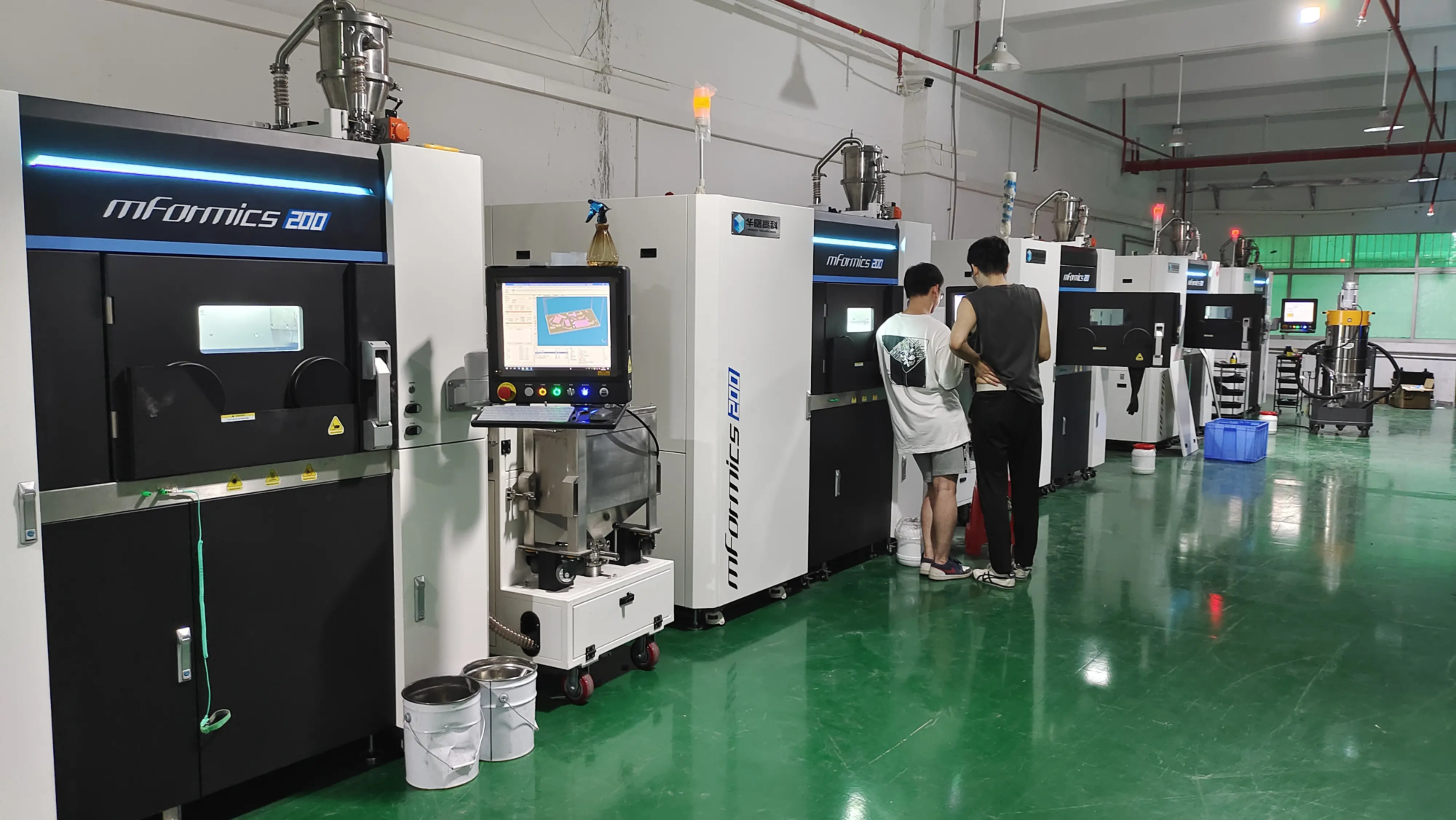
At Greatlight, we have precisely specialized in the high demand industrial-grade additive manufacturing community. While a well-structured shell solves the key challenges of thermoplastics, stepping into metal prototypes requires real expertise and expertise. As a leading rapid prototyping manufacturer with advanced SLM (Selective Laser Melting) 3D printers and a comprehensive post-processing facility, Greatlight provides access to fast, high-precision metal production.
From challenging geometry to aerospace components to durable tool plug-ins and biocompatible medical devices that require millimeter integrity under ISO standards, our focused solutions transition your high temperature thermoplastic concept to enable proven metal reality. Need a complex part perfectly replicated or does it require extended production? Leverage our one-stop integrated services – from simulated topology optimization to post-production support completion such as hip joints (hot isothermal speed press), EDM, CNC machining – ensure project success and keep our global customers relying on quality, traceability and complexity.
Reminder: Don’t let components complexity, material limitations or integration requirements bottlenecks your innovation roadmap. GRESTLIGHT combines China’s manufacturing scale with German precision standards your Custom metal prototypes or end-use functional components compete and fit. Upload your project now and conduct timely evaluations to prove our manufacturing capabilities. Your ambitious vision deserves the most powerful fabrication.
DIY 3D Printer Housing FAQ
- Can I use a cardboard box? Not recommended. Cardboard is highly flammable, provides poor insulation/draft protection, degrades rapidly, and causes serious fire hazards. As mentioned above, only non-flammable or flame-resistant materials are used.
- Is MDF safe and closed? Use only pest MDF (looking for FR-MDF certification) or make sure all internal surfaces facing the printer are covered/encapsulated with non-fixable barriers (such as aluminum plates) and The insulating pad is safe and continuous use > 80c. Untreated MDFs are combustible.
- My motherboard/power is hot – can they stay in it? Absolutely not. Continuous temperatures > 60°C will greatly shorten component life and greatly increase fire risk. All control motors, heaters and processing electronics must be repositioned outside the heating room without exception.
- How hot will it be inside? Depend on the insulation material, printer temperature, housing size/material, duration. Printing ABS (~100-110°C bed) can produce an interior of 45-55°C. A severely insulated chamber may exceed 60°C+. Actively monitor the target specific temperature of the heater (50-70C). The strategic placement of printers and monitoring sensors is key.
- If I only print PLA, do I need a shell? Despite the low requirements of PLA, fences still offer benefits: significantly reduce noise, eliminate drafts, curbs of fine particles – and greater flexibility to experiment with advanced mixtures. However, please note: Continuous high bed temperatures close to 80C with the adhered 80C will greatly increase the risk of fire regardless of the wire.
- What size fan do I need to ventilate the fence? For external exhaust: Select an internal fan fan with rating of ≥100cfm > 50 cubic feet and heat up to increase the heat load. For sealed cyclic HEPA/carbon filtration, the high-pressure PC fan is insufficient. Find engineering specifications for static pressure levels that match your filter stack pressure drop characteristics. This usually requires a special PWM controlled brushless DC fan (axial or radial hair dryer).
- Establish key suggestions? Built on perfection only. Pre-drill screw holes to avoid cracking in all brittle components. Allows the wiring harness to relax indoors and outside. seal Each The tiny gap on the surface is thorough. Allows extra space. Never apply force to close the panel – instead of gently shims. Test the components externally and then perform step-by-step testing internally. Record your wiring schematic. Implement a redundant thermal protection circuit breaker for the heater. Actively replace any damaged gasket material. Safety must be engineering, not after-the-fact thoughts.