Bring your virtual self to life: The ultimate guide to 3D printing a Roblox avatar
Every day, millions of Roblox players create unique digital identities—avatars filled with personality, style, and creativity. What if you could hold your virtual self in your hands? 3D printing turns pixels into tangible reality, allowing you to display your avatar beyond the screen. Whether you’re a creator looking for a physical portfolio or just eager to immortalize your favorite skins, this guide will walk you through the process. For truly exceptional results, work with experts such as glow rapid prototyping Make sure your statue is as durable, detailed and high-quality as your digital dreams.
Why 3D print your Roblox avatar?
- Personal keepsakes: Capture milestones like a special event outfit or your first gaming character.
- Creative expression: Showcase your aesthetic in the real world – perfect for your desk, bookshelf or collection.
- Gifts that resonate: Surprise a friend with your own avatar; a very personal, nostalgic gift.
- Design verification: Developers can prototype character models for games, merchandise, or VR integration.
Step 1: Export your Roblox avatar model
Roblox doesn’t offer a native avatar export tool, so a third-party solution is essential:
- Maya/Blender plugin: Similar tools "Roblox Studio to OBJ" Export assets directly. Requires access to Roblox Studio.
- Browser-based exporter: Similar sites "Roblox avatar exporter" You are prompted to paste your profile URL. They generate downloadable STL or OBJ files that represent your avatar.
- Manual Kitbashing: If you’re familiar with 3D modeling, you can assemble parts using Roblox’s Developer Center mesh.
- Expert Tips: Prioritize well-maintained export tools. Check the GitHub repository or Roblox Developer Forum for updates. Verify proportional consistency in exported files – some tools require resizing.
Step 2: Prepare the model for printing
The original exported model often requires substantial improvements:
- Grid fixes: Use Meshmixer or Netfabb to fix holes, non-manifold edges, and flipped normals caused by clipping or attachment interactions.
- Manifold waterproof structure: Make sure the model is solid. Software such as MeshLab can automatically seal gaps.
- Support identification: Hanging parts (arms, hair, cape) require temporary support. Automatically generated in slicers such as Cura, but requires manual refinement review.
- Scale and resolution: Set the size in microns. For table centerpieces, 4-6 inches tall balances detail and stability.
- Great Light Insight: The complex geometries commonly found in Roblox accessories require precise mesh analysis. Our pre-production engineers used Geomagic Wrap software to double-check the files to ensure structural integrity, which was crucial for delicate details like thin swords or flowing hair on metal prints.
Step Three: Choose Materials and Printing Technology
Choices affect aesthetics, strength, and functionality:
- Resin printing (SLA/DLP):
advantage: The ultra-smooth surface captures ultimate detail and is perfect for intricate cosmetics.
shortcoming: May become brittle and susceptible to yellowing from UV rays. - Filament printing (FDM):
advantage: Affordable price, various materials (PLA, PETG), and durable.
shortcoming: Visible layer lines require extensive post-processing. - Metal Printing (SLM):
advantage: Unparalleled durability, noble feel, heat/abrasion resistance, and electrical conductivity.
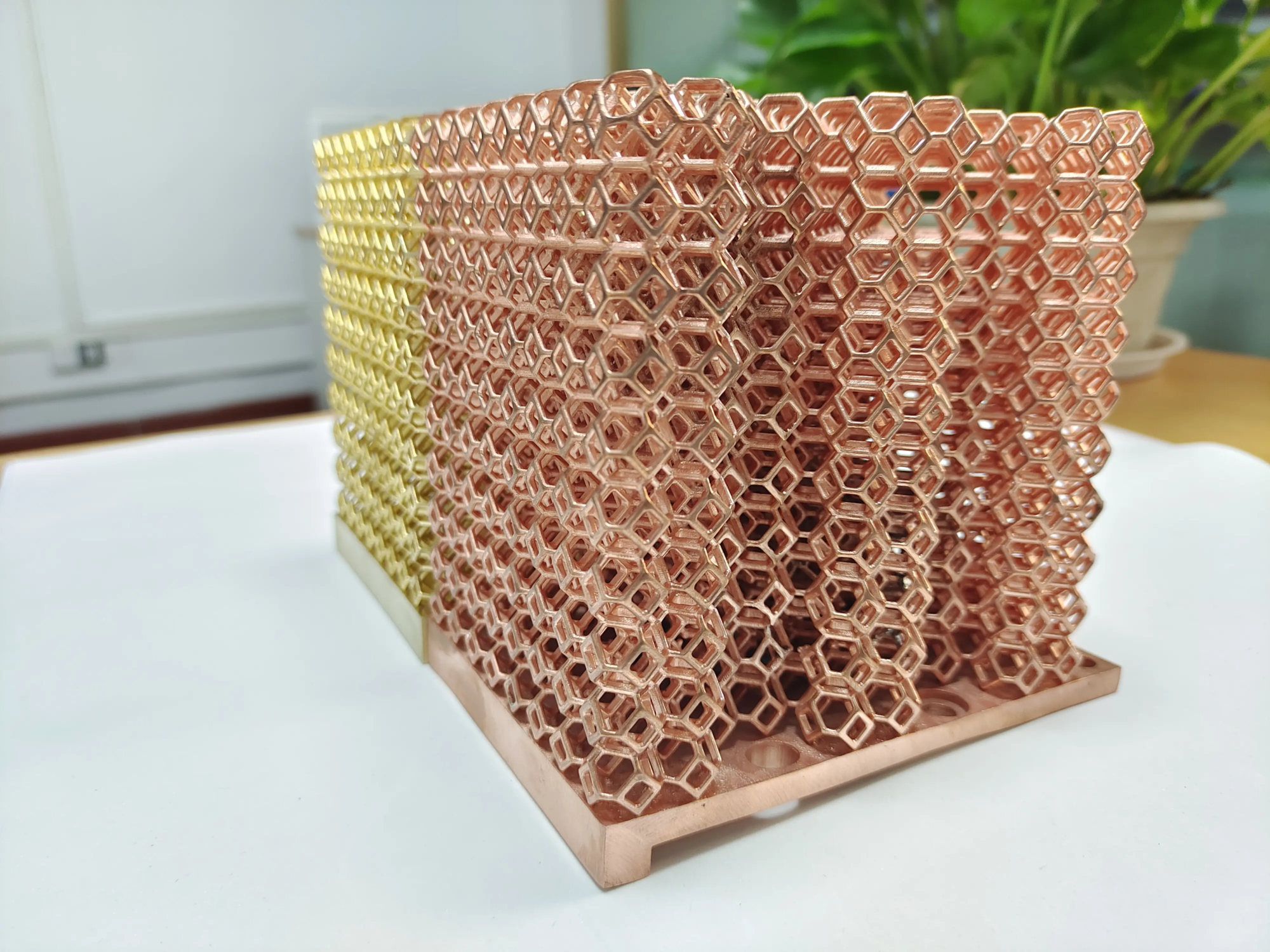
shortcoming: Higher cost and usually a solid color finish. - Materials expertise: For creators who want heirloom-quality metal prints, huge light Using Selective Laser Melting (SLM) – atoms bonding metal powders. Options range from cost-effective aluminum alloys to high-quality titanium or stainless steel. The density reaches more than 99%, ensuring that microscopic facial features are printed clearly.
Step Four: Work with Professionals (GreatLight Advantage)
DIY printing is possible, but professional services can improve results:
- SLM accuracy: GreatLight’s industrial SLM systems can build complex geometries not possible with traditional manufacturing, making them ideal for layered garments or complex gear.
- Comprehensive arrangement: Exceed "basic" To polish, choose:
• Vibration polishing to obtain uniform metallic luster.
• Electroplated gold, silver, copper or bronze.
• Painter’s Edge**: Hand-painted acrylic to match skin texture or accessory color (if resin/plastic selected). - Design optimization: Overwhelmed by document preparation? Submit your exported model. Our DFAM experts optimize force direction, strategically design internal supports and thicken critical areas.
- One-stop efficiency: Effortlessly coordinated – from digital upload to shipping of finished collections.
Step 5: Assemble and display after printing
Some avatars involve multi-part models:
- Glue bonding: Cyanoacrylate glue secures limbs seamlessly.
- Pin joint: For poseable prints, embed magnetized connectors or small pins during the design process.
- Finishing touches: Seal painted surfaces with clear coat; mount figures on rotating bases for dynamic presentations.
Conclusion: From pixels to physical art
3D printing breaks the boundaries between Roblox’s vibrant virtual universe and tangible reality. Mastering the workflow from file extraction to completion requires patience and precision. While hobbyist printers work for hobbyists, using something like glow rapid prototyping Delivers museum-quality results. Our SLM technology, advanced finishing labs and rapid prototyping expertise elevate game tokens into exquisite works of art or durable engineering prototypes. Whether commemorating an achievement or designing merchandise, your Roblox character now transcends the game—made of metal, resin, or plastic to last indefinitely.
Are you ready to immortalize your profile picture? Partner with GreatLight today.
FAQ: 3D Printing Roblox Avatars
Q: How long does it take to 3D print a Roblox avatar?
one: Production varies by complexity and materials. Plastic prints usually ship within 3-7 days. The timeframe for SLM metal prototyping is 10-15 days due to the sintering/densification stage, with GreatLight offering rapid finishing options.
Q: What file format is required?
one: STL or OBJ export is standard. Make sure your files are flawless before uploading. GreatLight accepts STEP, IGES, and X_T for manufacturability evaluation.
Q: How much does it cost?
one: Simple PLA dolls start at about $20-$50. Detailed resin busts range from $50-$200. Premium metal SLM prints start at around $150 and can expand in complexity/laser parameters/material selections (ask GreatLight for an instant quote).
Q: Can I print a full color headshot?
one: Multi-material printing enables color blocking, making it ideal for resin printing. **GreatLight offers a hand-painted finish for accurate RGB reproduction. Metal remains solid color unless post-treated/anodized/tinted.
Q: Which Roblox assets don’t print well?
one: Avoid using components less than 0.8mm thick – any floating particles, chainmail textures or ultra-fine hair strands risk brittleness. Merge pre-exported elements via Blender mirror.
Q: Why choose metal printing?
one: Unparalleled durability for collectibles exposed to handling/environment. Resistant to accidental drops, oxidation above 500°C and resin rot. Create high-quality displays with a tactile heft not available elsewhere.
Q: Can Honglait customize the standard avatar before printing?
one: Absolutely – combine gear packs, merge accessories, reconfigure poses. Our CAD team reconstructed/re-measured the modified STL to professionally align the toolpaths to QA protocols.
Transform gaming moments into lasting artifacts – with huge light Design your Roblox legacy today. Submit a model proposal immediately and leverage instant design collaboration to help optimize print feasibility/select system-proven alloy layers. $
Explore metal prototyping solutions→
(Replace # with your CTA link)