The Ultimate Guide to 3D Printing Hollow Knight: Bringing Hallownest to Reality
A breathtakingly beautiful world hollow knightWith its complex insect characters and vast fungal caves, it has captivated gamers around the world. For devoted fans, owning a tangible piece of Hallownest is no longer just a dream – it can be realized through the magic of 3D printing. Whether you’re a hobbyist with a desktop FDM printer or are looking for a museum-quality display piece, this guide will guide you through transforming digital models into stunning physical artifacts. We’ll cover everything from source files to post-processing mastering, including how professional services can enhance your project.
Why bring the Knights to the third dimension?
There’s something undeniably charming about holding an elaborate model of a knight, a hornet, or even a grumpy Shrumar warrior. 3D printing allows fans to:
- Personalize their collection: Print rare characters, custom poses, and even scenes.
- Create unique decorations: Bring the melancholic beauty of Hallownest to your desk, shelf, or gaming device.
- Experimental materials: From vibrant, colorful plastics to cold, imposing metals, the choice of materials dramatically changes the feel.
- Challenge technical skills: Mastering the nuances of printing delicate horns, intricate armor, and flowing capes is incredibly rewarding.
Step by step through the forgotten crossroads of 3D printing
-
Get the blueprint: Find and prepare the model
- Source repository: Websites like Thingiverse, MyMiniFactory and Cults3D are treasure troves. search "hollow knight," "knight bug," "bumblebee," Or a specific enemy/boss. Always respect creator licenses (usually non-commercial Creative Commons).
- Model quality matters: Prioritize well-supported models designed specifically for 3D printing. Look for files that are pre-segmented for easy printing (e.g. bumblebee’s fingernails separated from her body) or pre-manifold topologies. A poorly optimized model can result in frustrating print results.
Then Necessary preparation: Use slicing software (Cura, PrusaSlicer, Simplify3D) to:- Optimize model orientation (minimize supports, ensure structural integrity).
- Generate supports strategically (tree supports are often great for organic shapes).
- Scale appropriately (consider printer build volume and desired display size).
- Adjust the layer height (0.1-0.15mm for fine details).
-
Choose your weapons (printer and materials):
- FDM/FFF (plastic extrusion – tight budget/hobbyist):
- Material: PLA (easiest, brightest color), PETG (more durable, glossier), ABS/tough resin ASA (heat resistant/fading resistant).
- advantage: Affordable, easy-to-use printer/materials for printing larger graphics.
- shortcoming: Visible layer lines require careful adjustment; fine details, such as the knight’s eyes, are challenging. Bridging thin elements (nails, tentacles) requires expertise.
- SLA/DLP/MSLA (resin print – high detail):
- Material: Standard resin (clear details), ABS-like/tough resin (more durable), specialty resin (transparent, flexible).
- advantage: Excellent surface quality and detail capture, ideal for small, complex characters such as pendants or detailed miniatures.
- shortcoming: A lot of post-processing (cleaning, curing) is required, the materials are messy/dangerous, and build volume limitations often require the separation of larger models.
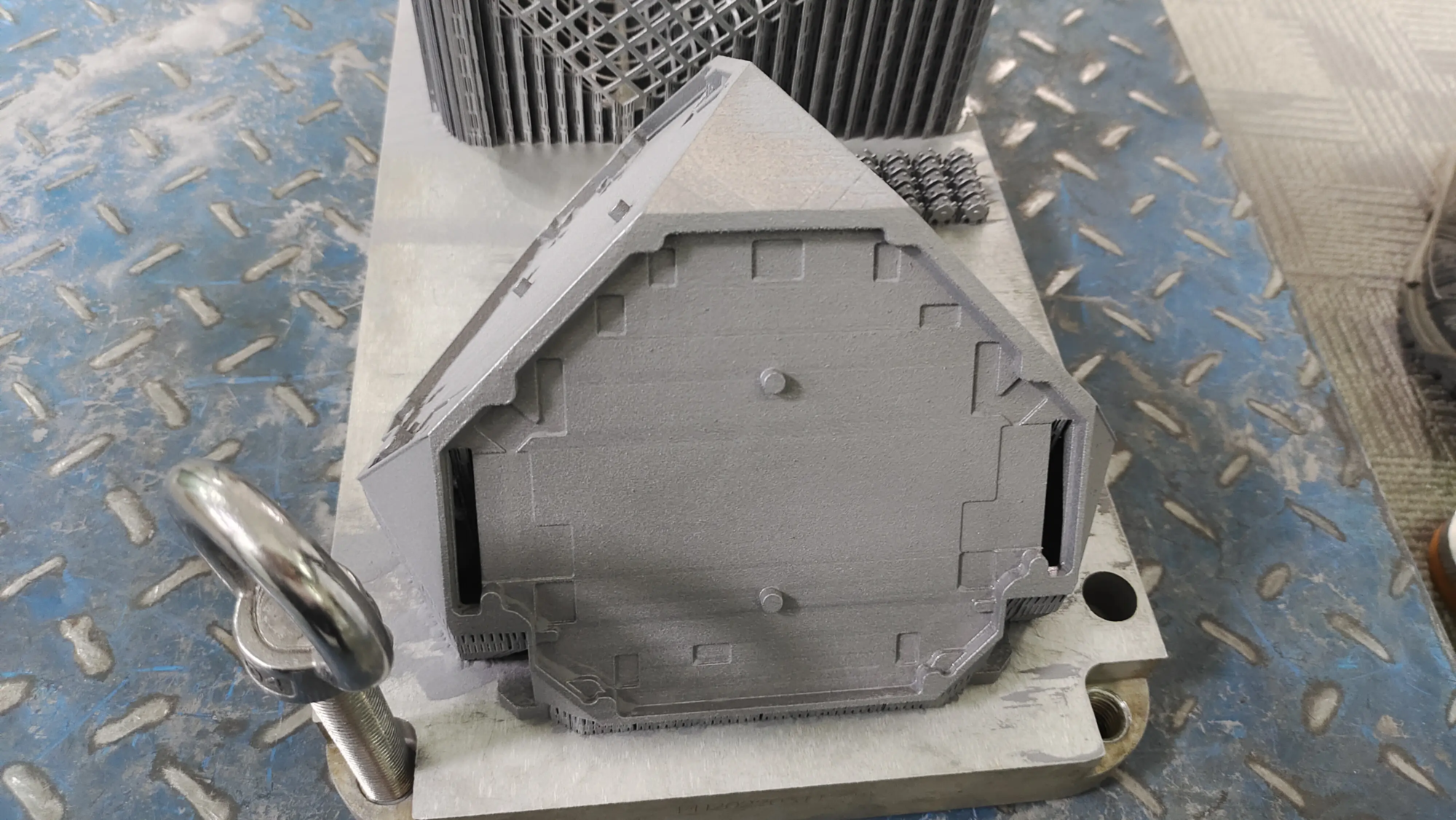
- Metal Printing (Professional Grade – Ultimate Durability and Trustworthiness – Think GreatLight): Turn knights into cold, immortal monuments, or turn bumblebee needles into real steel:
- technology: Selective laser melting (SLM), adhesive jetting. The SLM used by GreatLight fuses metal powder with a laser layer by layer to create extremely strong, dense parts.
- Material: Stainless steel (316L), titanium (Ti64), aluminum (AlSi10Mg), brass, copper.
- advantage: Unparalleled mechanical strength, weight, heat/UV resistance and reputation factors. Ideal for permanent display, functional prop or fine collectible.
- shortcoming: Highly specialized, expensive equipment/materials only Available through professional services.
- FDM/FFF (plastic extrusion – tight budget/hobbyist):
-
Crucible: Print execution and troubleshooting
- Calibration is king: Make sure your printer bed is perfectly level and your nozzle height/Z-axis offset is perfect. Temperature tower and calibration prints on new materials.
- Pay with patience: Slower print speeds improve layer adhesion and surface quality, especially for detailed features like capes or delicate legs.
- Support strategy: Use as little support as possible, but don’t skimp on it where it’s needed (for example, under an outstretched arm). Adjustment of support density and interface distance (for resin/FDM) is critical for easy removal without scarring.
- Common fault fixes:
- Warp: Ensures bed adhesion, ABS shell, low ambient airflow.
- Brushing/bleeding: Calibrate retraction settings.
- Moving layers: Check belts/pulleys carefully and reduce print speed/acceleration.
- Resin printing failed: Ensure adequate FEP tension, correct exposure time, and appropriate support density.
- Ascending: Post-processing your creations – from print to perfection
This stage transforms the original print into a display masterpiece:
- Support removal: Carefully cut away the supports. Use a flat end mill and a fine sanding rod/file. A heat gun (be careful on plastic) can soften tough interfaces.
- Polishing: Start with coarse grits (e.g. 120-240 grit) to remove layer lines/support scars and gradually move to finer grits (800, 1000, 1500+) for smoothness (FP SkinGloves are critical for resin/metal powders). Wet sanding is recommended to minimize dust.
- Filler and Primer: Use high fill primer or styling putty (Milliput) to fill in the remaining dimples/lines. Primer creates an even painted surface.
- painting: Unleash your creativity!
- Acrylic: User Friend is ideal for beginners/hobbyists. Airbrushes provide the smoothest finish.
- Spray Primer/Paint: Good coverage; well disguised.
- Wash and dry brushing techniques: essential for highlighting detail and depth everywhere hollow knight design.
- Finishing touches: Clear coat (matte/gloss added) protects the paint and provides the desired shine. Consider using a custom base or FX resin for a themed display.
- *Professional post-processing: Esp For metal printing or when perfection is critical, services like GreatLight offer:
- Precision support removal and intricate hand finishing.
- Industry-leading polishing (mechanical, barrel, electropolishing) for stunning metal surfaces.
- Custom patina, plating (nickel, gold) or special coatings.
- Multi-part printing/expert assembly with specialty adhesives. (replace "Complex bonding").
Why delve into Hallownest alone when you can summon the Great Light?
While it’s worthwhile to print “Knight” on a home printer, achieving true fidelity of museum quality (especially in durable metal) requires industrial-grade technology and specialized craftsmanship. where is this