Unlocking the physical world: From iPhone LiDAR scanning to 3D printing reality
The iPhone, the device in billions of people’s pockets, houses an often overlooked technological marvel: LiDAR (Light Detection and Ranging). Originally designed to enhance augmented reality experiences and low-light photography, the sensor has quietly opened the door to powerful 3D reality capture. But its potential goes far beyond the screen – it revolutionizes rapid prototyping by enabling users to capture complex real-world objects and environments and convert them into tangible 3D printed models. The journey from scan to entity is now very easy to achieve.
Magic in your pocket: How iPhone LiDAR works
Think of lidar as a super version of instinctively measuring distance by bouncing sound, like sonar. iPhone LiDAR emits invisible, safe infrared laser pulses instead of sound. These pulses reflect off the surface and return to the sensor. By precisely measuring the time it takes each pulse to travel and return, the phone builds a detailed "point cloud" – A dense point map in 3D space that represents a scanned object or scene. Complex algorithms then stitch these points together to form a textured mesh, essentially a digital twin of the physical world, captured in intricate detail. Unlike traditional smartphone cameras that only capture color and brightness, lidar captures volume and spatial relationships with extremely high accuracy, especially for close objects.
The scan-to-print pipeline: connecting the digital and the physical
Converting LiDAR scans into high-quality 3D prints requires careful completion of several key stages:
-
Capture scan (iPhone):
- Prepare: Ensure good lighting (although lidar works well in low light) and eliminate clutter. Scans best on smooth, non-reflective surfaces. Avoid transparent or highly reflective objects.
- Scanning technology: Move your iPhone slowly and steadily around the object, making sure you capture all angles. Keep a consistent distance (0.5m – 5m optimal). Use an application designed for detailed capture, e.g. Polycon (free and paid), Scan the universe (free), or 3D scanner application.
- Scan multiple times: For complex objects, scan from different angles and directions. These applications can often merge multiple scans for better coverage.
-
Processing and Refinement (desktop software):
- exit: Export scan results from your iPhone app, usually
.OBJ,.USDZ,.PLYor.STL..OBJ(textured) and.STL(Geometry only) is the most common for 3D printing. - clean: This is crucial! Raw LiDAR scans often contain noise, floating artifacts, holes, and extra geometry. Import files exclusively Grid cleaning software. Powerful tools like mixer (free), grid mixer (free), or Internet company (Paid) allows you to:
- wipe out: Reduce polygon count without losing essential shape detail.
- Fill the holes: Fixed areas with incomplete data collection.
- smooth: Reduce surface noise and jaggedness.
- Remeshing: Improve surface topology for better manifold geometry (solid, watertight).
- prune: Remove unnecessary surrounding geometry.
- exit: Export scan results from your iPhone app, usually
-
Optimized for 3D printing:
- Manifold inspection: Make sure the model is "water proof";This means it has no holes and defines a sealed volume. Non-manifold edges can cause slicing errors. Software such as Meshmixer and Netfabb have built-in repair tools.
- Wall thickness: Verify that walls and features are thick enough to be physically printed with your chosen material. LiDAR scans of thin surfaces may require thickening in post-processing software.
- scale: Determine the final print size and accurately scale the model accordingly.
- Slic point g & Printing:
- slice: Run the cleaned and repaired
.STLFile passed Slicing software (PrusaSlicer, Ultimaker Cura, etc.). Configure settings for specific printers and materials (layer height, infill, supports). - Material selection: For small prototypes that capture texture/details like sculptures or ornaments, Hindi resin material SLA/resin printers excel. For functional parts or larger objects, sculptural FDM (filament) printers such as PLA/NYLON are suitable. Complex, durable, precise Half typically require metal 3D printing services.
- print: Perform printing on your own consumer/prosumer printer or send files to a professional prototyping service.
- slice: Run the cleaned and repaired
Why iPhone LiDAR scanning is a game-changer for prototyping
- Unparalleled accessibility: Millions of people already have powerful scanning tools. LLEC democratizes 3D capture, removing barriers for enthusiasts, designers and professionals.
- speed: Capturing a physical object digitally takes only minutes, much faster than traditional CAD modeling from scratch.
- Capture complexity: It excels at handling complex shapes (statues, natural shapes, eroded surfaces, complex assemblies) that are difficult or time-consuming to model manually.
- Real world integration: Ideal for replicating existing objects (custom mounts, engine parts), capturing heritage artefacts for restoration, construction site documentation, reverse engineering, and creating custom ergonomic accessories.
- Visual accuracy: Preserve the actual texture and outline of the scanned object.
When expertise comes into play
While iPhone LiDAR puts scanning power in your pocket, turning raw scans into functional, high-accuracy prototypes often requires specialized knowledge and industrial-grade technology. Cooperate with huge lightthe leader in rapid prototyping, ensures your scanned vision becomes a perfect reality.
Here are reasons to partner with GreatLight to enhance your LiDAR-to-Print project:
- Convert scans into accurate models: Raw LiDAR data can be noisy and confusing. Our expert CAD engineers carefully interpret, clean, and optimize scans to close gaps, smooth surfaces, and ensure water-resistant, manifold geometries optimized for printing. We transform raw data into powerful digital models, ready for prototyping.
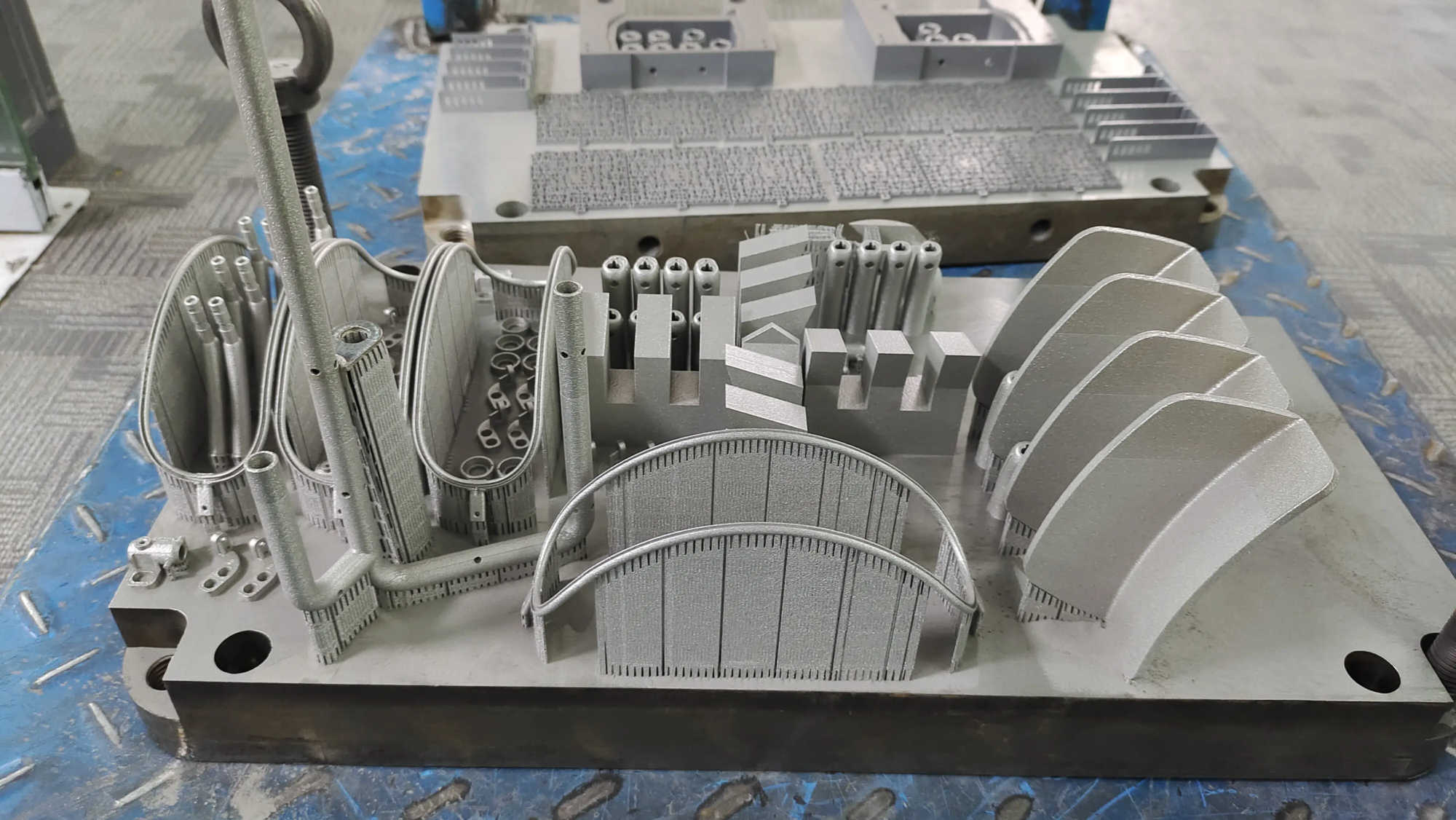
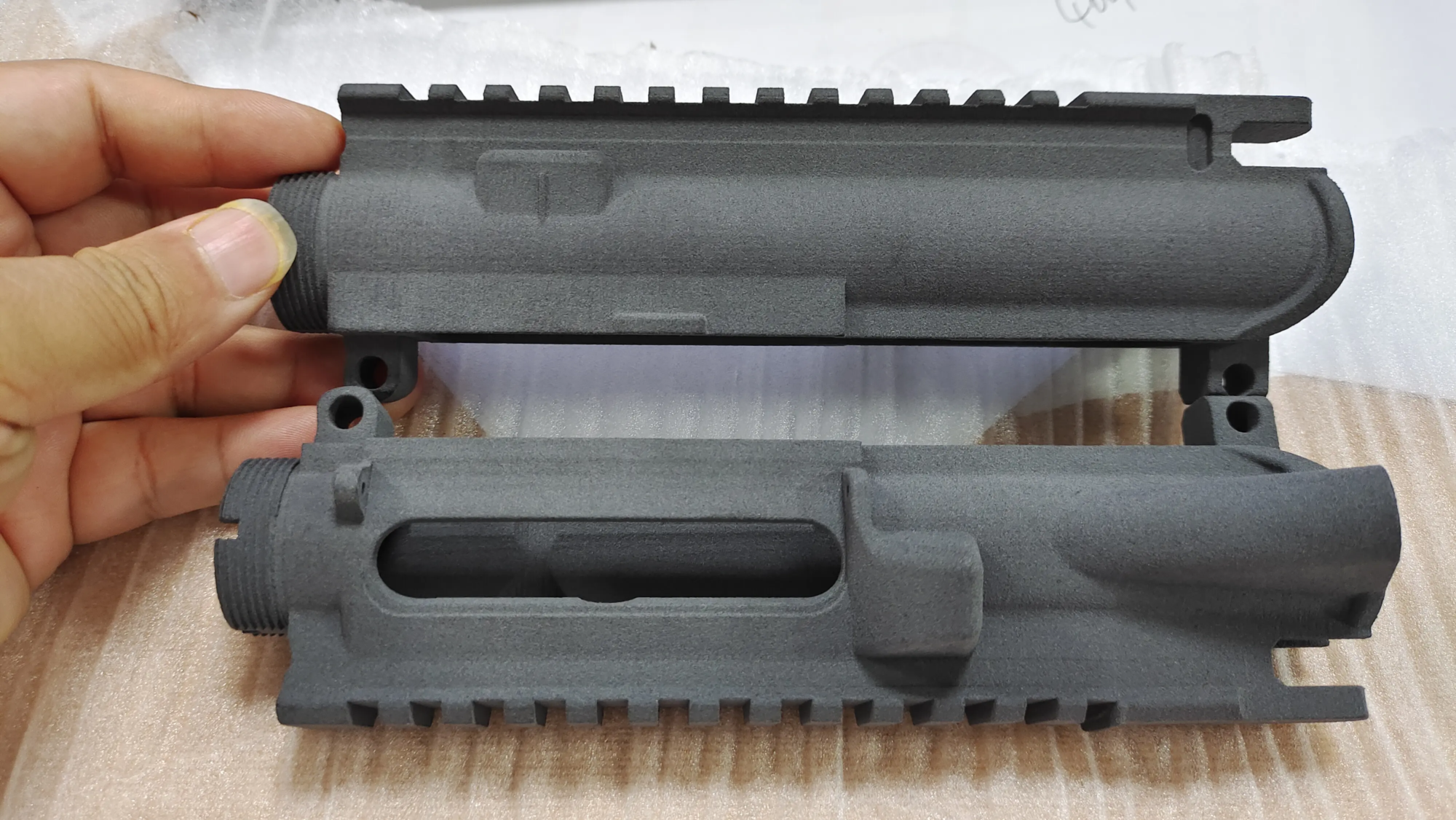
- Advanced manufacturing power: We use the most advanced technology Selective Laser Melting (SLM) Metal 3D printers and advanced SLS, SLA, FDM and CNC capabilities. We choose the best technology – whether Precision Metal Prototyping Requires SLM strength and detail or lighter nylon components.
- Material mastery: Our product range extends far beyond hobby material. Need aviation aluminum? Biocompatible titanium? Solid stainless steel? Or high-detail resin? We offer a comprehensive selection of materials tailored to functional requirements, aesthetics and industry standards.
- End-to-end post-processing: Rapid prototyping doesn’t stop with the printer. We provide comprehensive CNC machining post-processing services for critical dimensions. Your printed part is complete and ready to use.
- Speed and reliability: We focus on making high quality prototypes quickly. It is critical to deliver revised prototypes faster and deliver production-grade parts quickly.
Conclusion: Democratic capture, professional implementation
The iPhone LiDAR scanner is a transformative tool that breaks down the barriers between the physical world and the digital realm of 3D printing. It enables anyone to capture complex shapes and environments. However, harnessing this potential to create truly practical, durable and highly accurate prototypes goes beyond consumer-grade printing. The complex steps of refining noisy scan data, selecting the right high-performance materials, and leveraging industrial additive or subtractive manufacturing processes require expertise.
This is where the great light shines. We bridge the gap between hassle-free scanning and professional-grade prototyping. From meticulous model detailing to employing cutting-edge SLM metal printing and comprehensive post-processing, we ensure the vision captured by your iPhone transforms into a carefully crafted, robust and functional reality that meets the exacting standards required for professional design validation, tooling, low-volume production and functional end-use parts.
FAQ: iPhone LiDAR Scan to 3D Print
Q: Which iPhones are equipped with LiDAR?
one: « The LiDAR scanner works with iPhone 12 Pro, iPhone 12 Pro Max, iPhone 13 Pro, iPhone 13 Pro Max, iPhone 14 Pro, iPhone 14 Pro Max, iPhone 15 Pro, iPhone 15 Pro Max and iPad Pro models (11-inch and 12.9-inch) released in 2020.
Q: Can I print iPhone LiDAR scan results directly?
one: Almost never. Raw LiDAR captures contain noise, holes, and artifacts. They require extensive cleaning and repair using meshing software such as Blender or MeshMixer to create “waterproof” models ready for slicing and printing.
Q: What file formats do LiDAR scanning applications generate?
one: Most applications allow exporting to .OBJ (mesh+texture), .USDZ (Apple’s AR format), .PLYor .STL (Pure geometric shapes, best for 3D printing after cleaning).
Q: What are the best apps for 3D scanning with iPhone LiDAR?
one: Polycam is widely recognized as a leader in ease of use and quality. Scaniverse and 3d Scanner App are also solid free contenders. The paid premium version offers higher resolution and features.
Q: How accurate are iPhone LiDAR scans?
one: Accuracy varies greatly. Generally speaking, scanning at close range (0.5m – 2m) can achieve millimeter-level shape capture accuracy, but finer details may be smoothed out. At longer distances (3m+) the accuracy decreases significantly. Texture detail is more camera and light dependent than lidar.
Q: Can GreatLight scan documents and print them directly from my iPhone?
one: When we accept a scan or .STLs Our engineers export from scanning applications strongly Send us suggestions cleaning and repair Version optimized for printing. If you only have raw scans, we offer expert cleaning services during the prototyping process.
Q: I need to print a metal part from a scan – is this possible?
one: Absolutely. GreatLight focuses on metal 3D printing Selective Laser Melting (SLM). For functional metal prototypes based on LiDAR scanning that require high strength or precision, we clean and optimize your scan data, select the appropriate metal powder (stainless steel, aluminum, titanium, etc.), print on our industrial SLM systems, and apply the necessary post-processing (such as stress relief, CNC finishing or heat treatment).
Question: What types of objects are there? no Great for iPhone LiDAR scanning?
**one