Navigation Dance: Your Guide to Smoothly Removing Rafts from 3D Printing
In the complex world of FDM 3D printing, raft layers are often an essential problem solver. The rafts are designed primarily to enhance the bed adhesion of challenging prints (easy to bend materials, complex geometry or minimal surface contact prints) to provide a stable foundation. However, the basis involves a crucial post-print task: deletion. Improper removal will bring chisels, scars or broken details to the original perfect print. This guide delves into why, when and – most importantly – how Safe and efficiently remove raft structures from 3D models.
Why rafts become necessary trouble:
- Fight Warp: Materials such as ABS, Nylon, or PC are susceptible to the warping caused by cooling and lifting edges. The raft is firmly attached to the bed on a large area, anchoring the print more effectively.
- Ensure a smaller footprint: There are few actual contact areas of the first layer (e.g., high, thin structure) that fall off during printing. The broad base of the raft prevented this.
- Compensating for uneven beds: While beds are crucial, smaller flaws can be alleviated by sacrificing rafts.
- Complex geometric shapes: Models with complex one-layer pattern or weakness support can benefit from the uniform adhesion surface provided by the raft.
Understand adhesion challenges: The raft is deliberately printed, with a unique separation interface between the raft itself and the first layer of the actual model. This interface involves the following settings:
- Raft air gap: Very small distances between top Rafts and bottom Model layer.
- Raft top density and pattern: Usually the density is small (e.g., wires instead of solids), extrusion is different to aid in separation.
The Art and Science of Demolition of Rafts: A Step-by-Step Method
-
Patience is the first tool: Allowing correct cooling
Never try to remove the raft when the printing bed or model is very hot. Thermal expansion makes the plastic more flexible and sticky. Wait until the print is completely cooled to room temperature. Hurry up increasing the chance of tearing or twisting your parts. -
Choose weapons wisely:
- Clever hands and sharp rinsing cutter/community knife: For a well-designed and carefully removed raft, your fingers and thin blades are usually enough. Gently spread a corner with the tip of the knife Very careful. After lifting a small portion, exercise your fingers underneath and slowly peel them to work parallel to the build plate. Rotate the model.
- Greasy knife or palette knife (blunt edge): Ideal for a solid model without good bottom details. Place the blade flat on the build board and slide it under the edge of the raft. Apply gentle upward pressure. This is usually safer than the sharp knife you first lifted.
- Chisel (chief tip for DREMEL/precision tools): Ideal for precise controlled cutting at raft/model boundaries. A stable hand and optional magnification are required. Avoid forcing it.
- Needle clamps: Once the edge is lifted, or the small raft residue is extracted in the gap, it can be used to clamp and peel off the small raft section.
-
Technology beats power: Philosophy of skinning
- Concentrate team Parallel lines Go to the printing bed. Force or pry up You can directly capture thin functions or distort the underlying layer.
- Work methodically around the perimeter of the print. Peel a little at a time.
- Listen and feel: Good raft separation usually involves satisfactory "crack" As the layers separate. If it feels like you’re tearing the solid plastic, stop. Raft settings (such as air gaps) may be insufficient.
- Complete touch: Perfect after translation
- Surface smooth: The bottom surface of the model in contact with the raft may have a rougher texture. Carefully use sandpaper that adds sandpaper (start ~120, finish 320+), scraper or specialized retouching tools such as needle files) to smooth it out. Work patiently to avoid surface unevenness.
- Delete the residue: A stubborn little piece? Dental tools, fine tweezers or quick pass with small wire brush engineering. Wipe gently with isopropanol able Sometimes it helps to remove dust, but it won’t remove plastic debris.
Optimize the printing process to make it easier to remove the raft: Prevention is always smoother than repair.
- Adjust the raft settings: It is crucial to dial in a slicer:
- Air gap: This is the key! Too small, the raft is welded to the model. Too large, the adhesion of the first layer may be poor. Gradually increase the air gap (e.g., 0.25 mm to 0.4 mm) until it becomes easier to separate without sacrificing support.
- Top raft layer: Reducing its density (increasing pattern spacing) will weaken the top raft layer.
- Interface mode: Different modes (eg, lines and grids) can have different stripping characteristics. experiment!
- Consider alternatives first: Always assess the edges (a single layer flat extension around the model base), or simply optimizing the bed, Z offset, and using quality bed adhesive (Magigoo, hair, hair spray, glue stick) is enough. The edge is usually a lot of Easier to delete.
- Material Knowledge: Get to know your filaments. Highly adhesive plastics (such as PETG) may require a more aggressive air gap setting.
When Greatlight gets trouble out (more)
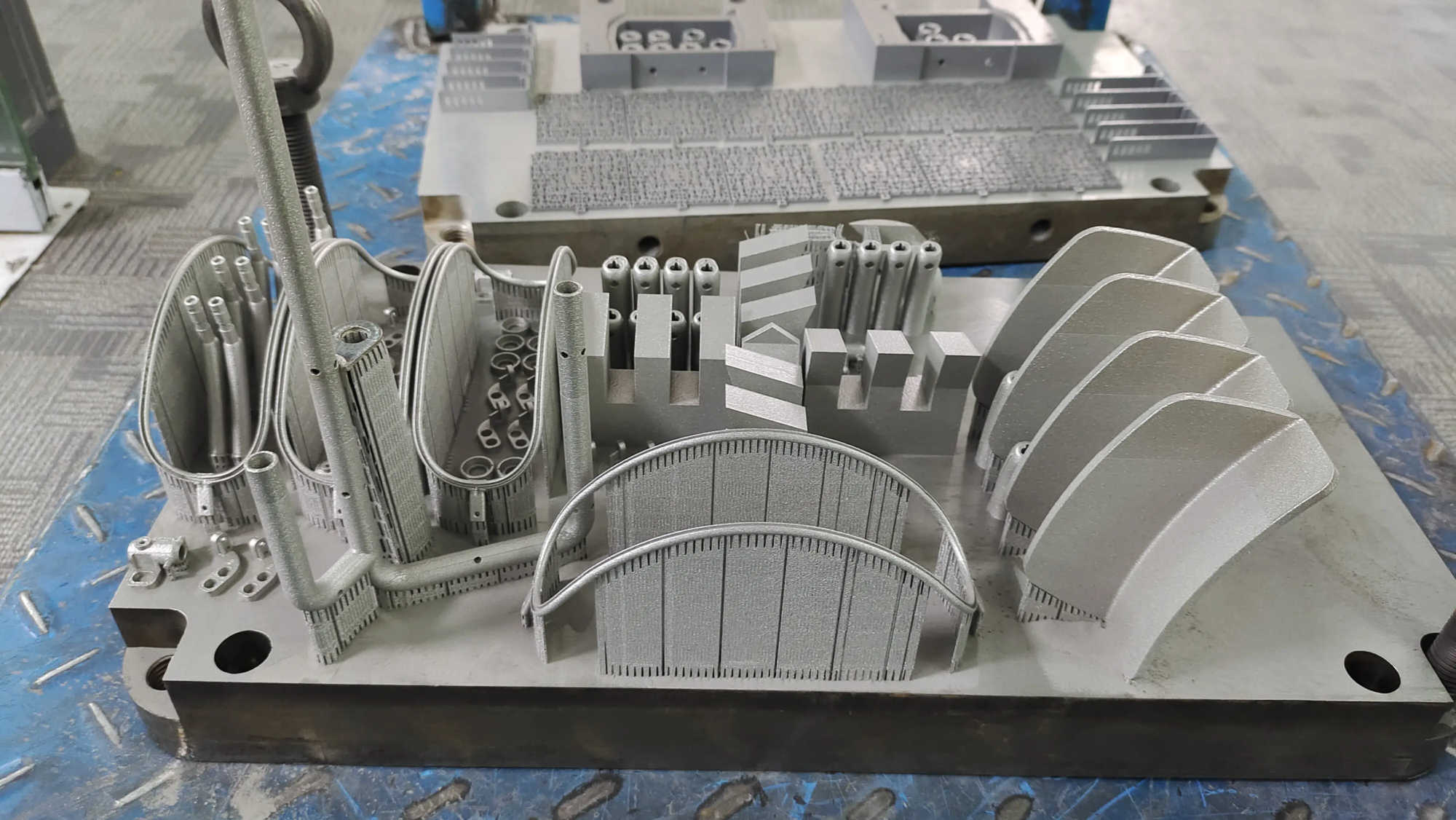
Cleaning a raft requires practice and understanding your specific printing settings. As a leader Rapid Prototyping Manufacturer,,,,, Great Specialized research Advanced SLM (Selective Laser Melting) Metal 3D Printingamong which raft-like support is also common, but requires a complex removal process.
But our expertise goes far beyond metals. Our comprehensive Rapid Prototyping Service Include FDM/nylon in complex polymer models, where effective support removal is critical. We use:
- Precision slice parameters: Only used for printing success rather than brute force, optimize raft adhesion.
- Professional post-processing: A dedicated team uses specialized tools and techniques to skillfully handle raft/support disassembly.
- Material Code: Provide tailor-made suggestions for your projects.
- Completed in full: We won’t stop removing support. Grinding, smoothing, painting, steam smoothing and expert assembly services convert prototypes into ready-made parts.
us Professionally solve fast prototype challenges Cross-materials, provided One-stop post-processing and completion – Eliminate the struggles of raft removal and surface imperfections in your project pipeline. Most industrial grade materials Custom precision machining The solution is easy to obtain.
in conclusion:
Rafts are valuable tools in the arsenal of FDM printers that can fight warping and enhance adhesion when needed. However, their removal requires a way to consider: cooling, correct tools (sharp knives, spatulas, pliers), careful skinning techniques and thoughtful disassembly completed after. Optimizing slicer settings (especially air gaps) is the basis for reducing friction removal. Before resorting to the raft, explore alternatives such as the edge.
For complex projects that require professional results, work with such service providers Great Ensure that not only print successfully, but also ensures original post-processing. We use Advanced production technology and provide clean, high-quality expertise Rapid Prototyping Partshandles complex support removal and completion so that you can focus on the final application. Customize your precision fast prototyping parts now at the best prices!
FAQs on 3D Printed Rafts
-
Q: Will the raft be hot or cold?
one: Always cold! Unloading the raft while printing or bed will still significantly weaken the plastic. Wait until the object completely cools to room temperature to ensure it is rigid and prone to deformation. -
Q: Why is it difficult for my raft to peel off, even in the cold?
one: The most common culprits are insufficient Raft air gap In your slicer settings. The gap between the top layer of the raft and the bottom layer of the model is too small. Gradually increase air gap in slicer software. Other factors could be overly dense top-grade rafts, or materials that are actively bonded to materials like PET. -
Q: Can PVA be used as a raft for easier removal?
one: Although PVA (polyvinyl alcohol) is mainly used as a water-soluble support material for the interface, it is Usually not used as a full raft material itself. If your printer supports double extrusion, you Can The PVA raft layer is theoretically printed as an interface directly below the model. However, for a large and thick raft, this is efficient. Dissolved PVA usually retains the complex support structure used for contacting the model rather than large flat rafts. Adjusting the air gap on a standard PLA/PETG raft is almost always more practical. -
Q: Should I always use rafts?
one: No! Rafts should be the last resort to adhesion problems. First, optimize the bed, z-deflection "squeeze" Bed temperature and use of adhesive (glue sticks, hair spray). Try a edge For larger sizes that are prone to bend. There are only small footprints, highly warped materials (such as ABS) or very complex first layer, and in the first layer of extruded, there is only progress. - Q: The raft leaves a rough surface. How can I solve it?
one: Excluded surface refinement is standard. Use sandpaper (start rough, ~120 particle size, move to 320+ and other fine particles), carefully applied scraper blades, needle files or small rotary tools. For functional parts, light degreasing with a fill primer and then sanding can produce an unusually smooth finish. Greatlight’s post-processing services specialize in these professional finishes.