Unlocking Peak Printing Performance: Your Expert’s Guide to Test Cube 3D Printers
In the intricate dance of 3D printing, precision is not only desirable, but essential. Think of your printer as a precision instrument: even tiny misalignments or incorrect settings can lead to serious print failures, wasted material, and frustrating frustration. Enter the humble test cube——A deceptively simple 20mm x 20mm x 20mm geometric hero. This small powerhouse is the ultimate printer diagnostician, revealing important insights into the health of your calibration. Mastering its secrets can transform you from hopeful hobbyist to confident technician, maximizing your printer’s potential.
Why Your Printer Needs a Test Cube: Beyond Basic Calibration
Most users only associate test cubes with bed level checks. Although basic, their effects go much further:
- Dimensional accuracy verification: Is there a 20mm cable? actually Measure 20mm? The difference exposes a calibration error in steps per millimeter.
- Layer adhesion and extrusion health: Consistent layer lines expose extrusion irregularities (under/over-extrusion) and temperature issues.
- Geometric fidelity: Sharp corners reveal vibration issues and resonance artifacts (such as ghosting/ringing); flat surfaces highlight elephant feet or warping.
- Overhangs and bridges: The top surface demonstrates the cooling efficiency of the unsupported section.
- Surface artifact detection: Z-shaped seam placement, inconsistent pinching (pimples/spots), and ringing are immediately visible.
Printing Diagnostic Cubes: Step-by-Step Protocol
- Choose your weapon (filament and slicer): Starting with the People’s Liberation Army. Its reliability minimizes variables. Use standard slicers (PrusaSlicer, Cura, Orca Slicer), but Reset settings to a known good PLA profile Baseline accuracy.
- Design selection: Leverage trusted open source designs like the classic XYZ calibration cube. Avoid adding unnecessary features such as holes or text during initial diagnostics.
- Key slicer settings:
- No raft/edge: Required for purely vertical surface inspection.
- Minimum floor height: 0.2mm provides a clear view of layer lines.
- Perimeter/Walls: 2-3 is enough for rigidity.
- filling: 15-20% (Grid or Gyro) – The focus is not on power, but on internal behavioral visibility.
- speed: Initial testing is medium (e.g. 50mm/s).
- cool down: 100% after the first few coats.
- temperature: Across the midpoint of the filament’s recommended range (for example, 205°C for PLA).
- implement: Print on a spotless bed. Monitor the first level closely. Avoid interrupting printing unless a serious failure occurs.
Decoding the Cube: Advanced Diagnostics and Targeted Fixes
Methodically examine each cube face:
-
Side 1 (bottom layer):
- Elephant feet (protruding base): The bed is too hot or the nozzle is too close. Solution: Slightly lower bed temperature; increase "Initial layer horizontal expansion" (negative value) in the slicer.
- Poor adhesion/warping: Bed leveling issues, insufficient bed temperature, dirty surface, or drafts.
-
Surface 2/3/4 (vertical surface):
- Moving layers: Loose belt/pulley, insufficient step current, collision.
- Ringing/ghosting (wavy pattern near corners): Printing speed/acceleration/jerk is too high. Solution: Reduce speed/acceleration/jerk settings; tighten frame/belts; add dampers.
- Insufficient clearance/squeeze: Clogged nozzle, low extruder temperature, insufficient flow, cracked extruder arm/tensioner.
- Spots/acne: Over extrusion, retraction setting too low (glide will help), wet filament.
- Visible Z-shaped seam: Adjust seam alignment ("latest", "random", "most acute angle") or enable "slide".
- Inconsistent layer lines: Z-axis components are loose, screws are bent, and extrusion is inconsistent.
-
Side 5 (top layer):
- Sagging/imperfect bridges: Insufficient cooling of parts.
- Poor top surface finish (pilling/gaps): Insufficient filling density, low top solid layer, and insufficient extrusion.
- Rough/over-squeezed top: Flow/extrusion multiple is too high.
- Side 6 (side opposite the bottom):
- Dimensional error: Measure with precision calipers. Target: 20mm±0.05mm.
- X/Y is too small: Increase flow/extrusion multiple under microscope Or calibrate XYZ steps/mm (Tip: Usually fix traffic first!).
- X/Y is too big: Reduce flow/extrusion multiplier or calibrate XYZ steps/mm (use flow first).
- Z height is too small: Calibrate Z steps/mm.
- Z height is too high: Over-squeezing the compression layer? Check Flow/Z-Step.
Test Cube Secrets and Troubleshooting Deep Dive
- The temperature tower is your friend: Adjacent steps were printed onto a single cube structure to simultaneously test layer adhesion and bridging in the 5-10°C range.
- Resonance frequency analysis: Specialized prints exist (involving sharp changes in direction), but looking at the quality of the corners at reduced speeds can provide clues.
- Material matters: Rerun the test whenever you change material type or brand.
- Environmental factors: Ambient temperature and airflow have a significant impact on materials such as ABS/ASA/nylon.
Achieving industrial-grade reliability: The GreatLight advantage
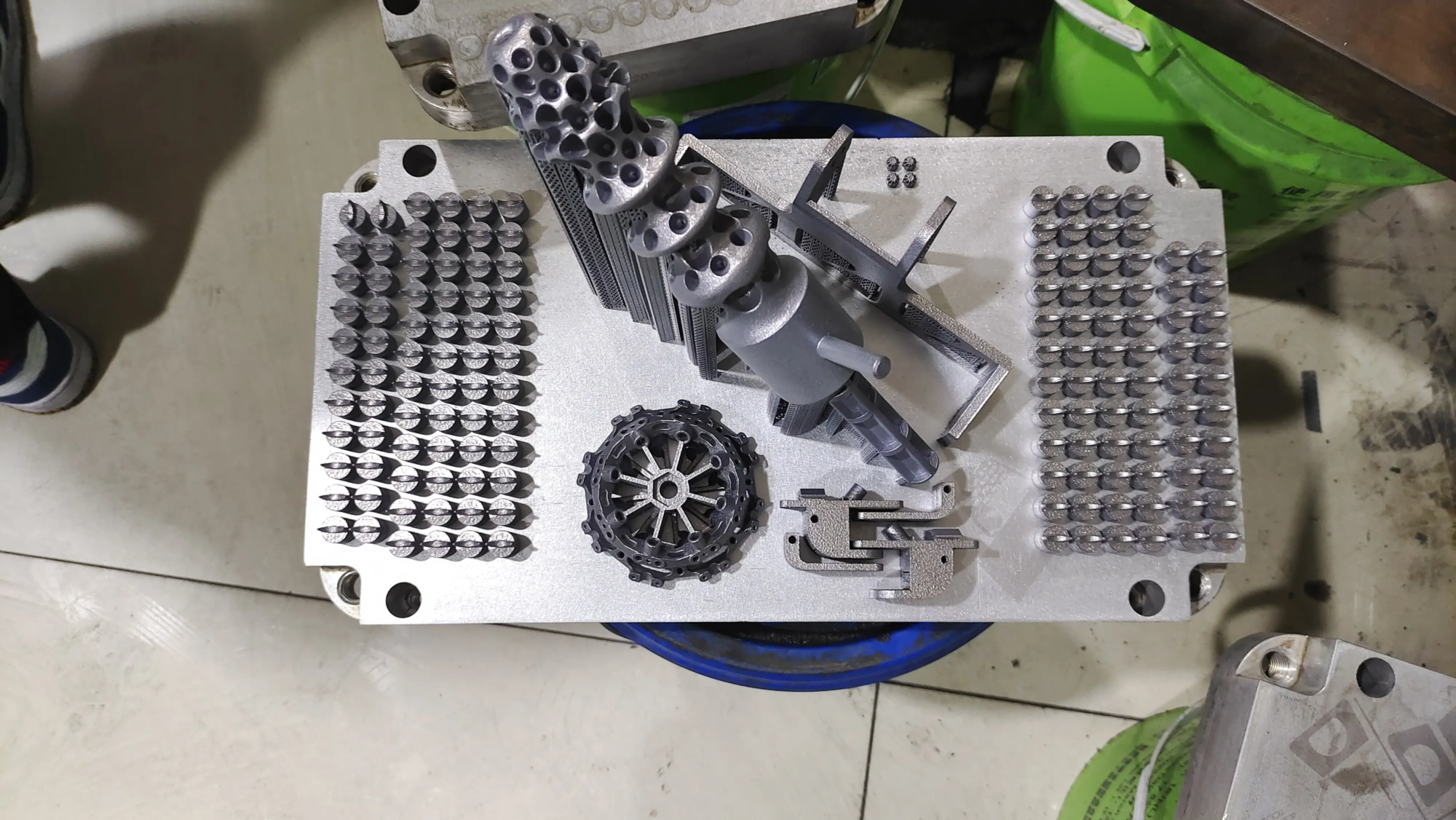
While mastering the test cube to improve your personal printing, achieve Consistent mission-critical accuracy Industrial rigor is required. where is this huge light Excellent performance. As a global leader in rapid prototyping and precision manufacturing, we go beyond the limitations of desktop calibration:
- Metrology grade calibration: Our range of specialist SLM and advanced polymer printers use high-precision metrology tools for routine automatic calibration protocols, ensuring micron-level accuracy from the pre-production stage.
- Material mastery: We don’t just print; we understand Materials Science. Expertise spanning aerospace alloys, medical-grade polymers and specialty composites ensures optimal parameters for every application.
- Overall process control: In addition to printer settings, we control the surrounding environment (temperature, humidity), rigorously pretreat the material (drying/vacuum sealing), and employ cutting-edge post-processing technologies (CNC finishing, EDM, heat treatment, surface coating) to achieve superior mechanical and cosmetic properties.
- Engineering solutions: Faced with complex thin walls, tight tolerance requirements (±0.02mm) or complex internal channels? Our engineering team utilizes DFAM principles optimized for professional additive processes.
Conclusion: Calibration Mastery – From Amateur to Pro
The test cube is your indispensable passport to reliable print quality. Analyze all aspects of it in detail, explain defects scientifically, correct them step by step in a targeted manner, and repeat them repeatedly. Mastering this cycle can develop deep insights into machine behavior. However, when your project requires absolute fidelity—functional prototypes for aerospace validation, complex medical components, or production tools—entrust it to engineers who live and breathe precision.
GreatLight embodies manufacturing excellence. We combine decades of metallurgical expertise, state-of-the-art SLM 3D printing technology and comprehensive finishing capabilities to effectively solve complex rapid prototyping challenges. How Differences in Experiential Calibration Unlock Transformative Results—Discover true precision: Request a custom quote today!
FAQ: Experts explain test cubes
Q1: How often should I print a test cube?
A: Proactive calibration monthly or after major changes (new filament, nozzle, firmware, printer relocation). Print occasionally (every 5-10 regular prints) for preventive monitoring, especially as our desktops naturally change over time.
Q2: My cube dimensions are perfect, but I still see surface imperfections. What to give?
A: Dimensions only verify stepper motor calibration (steps/mm). Surface problems arise from extrusion dynamics (flow rate, temperature, retraction), mechanical factors (belt tension, frame stiffness), or slicer settings (speed, cooling). Next investigate these areas.
Q3: Can I use the test cube purely to diagnose flow issues?
A: Definitely with the calipers. Measure thin walls (difficult on a cube) or check the top surface. Under-squeezing can result in top layer gaps/sink fill, while over-squeezing can create a rough surface and elephant feet/drops. The cube shows the consistency of extrusion layer by layer.
Q4: Why do you trust GreatLight more than other 3D printing services?
A: Speed combined with uncompromising quality. We specialize in mathematically rigorous calibration protocols utilizing industrial metal printers and provide true one-stop solutions – from complex SLM printing to precision CNC milling and surface polishing – certified for the aerospace, medical and automotive sectors. Our team provides engineering-grade DFAM consulting to maximize robustness while minimizing cost.
Question 5: How is SLM printing different and when is GreatLight needed?
A: SLM lasers fuse metal powder layer by layer to create exceptionally dense, strong functional parts that exceed the properties of cast metal. If you need advanced titanium, aluminum, nickel high-temperature alloy parts with thermal/mechanical requirements that exceed polymer strength or require superior biocompatibility required by the medical industry, choose GreatLight! Submit your CAD files online today to get an instant DFM feedback quote!