

Cetus 3D Printers: The Ultimate Guide to High-Precision Desktop Manufacturing
3D printing has revolutionized prototyping and small-scale manufacturing, making it accessible to hobbyists, educators, and engineers alike. One of the outstanding machines in this field is Cetus 3D printerknown for its balance of affordability, open source flexibility, and reliability. Whether you’re a beginner or an experienced maker, this guide will give you everything you need to master the Cetus ecosystem—from setup to advanced applications.
Why choose Cetus 3D printer?
Cetus is designed by Tiertime for users looking for a practical, modular FDM (fused deposition modeling) printer. Its core advantages include:
- Open source DNA: Unlike its proprietary competitors, Cetus thrives on community-driven upgrades. Firmware, hardware designs and software are freely accessible, enabling users to customize and troubleshoot.
- Easy to assemble: Often available as DIY kits, encouraging hands-on learning without complex wiring. The calibration tool guides the user through bed leveling and axis alignment.
- Linear guide accuracy: Industrial-grade linear guides replace traditional rods, minimizing vibration and ensuring smoother plies – especially important for complex geometries.
- vast ecosystem:Supports third-party consumables, nozzles, and modules (e.g. heated bed, dual extrusion).
Technical specifications at a glance
- Build volume: Standard model: 180 x 180 x 180 mm (expandable via modular frame).
- layer resolution: 50–300 microns for different detail vs. speed trade-offs.
- extruder: Direct drive Titan, compatible with 1.75mm PLA, PETG, ABS, TPU and composite materials.
- Connectivity: USB, microSD card, optional Wi-Fi via external module.
- frame: Aerospace-grade aluminum for thermal stability and stiffness.
Unboxing to First Printing: The Journey to Downsizing
- assembly: Bolt the frame, connect the motor and install the extruder. The illustrated manual simplifies every step and is perfect for educational settings.
- calibration:
- Use the bundled probe for automatic bed leveling or manual adjustment.
- By fine-tuning the nozzle height "paper test" (Make sure to rub lightly).
- Software settings: Take advantage of Cetus’ slicer (based on Cura) or an open source alternative such as PrusaSlicer. Start with a conservative preset (for example, PLA nozzle at 200°C/bed at 60°C).
Tip: Start by printing a workbench or calibration cube. Check layer adhesion, overhang, and dimensional accuracy to adjust settings.
Material Compatibility: Beyond PLA
While PLA is suitable for beginners, Cetus can handle a variety of filaments:
- polyethylene terephthalate: Used for impact-resistant functional parts. Requires 235–245°C nozzle and slower speed.
- ABS: A closed chamber (add-on module) is required to manage warpage. Print at 240–260°C.
- Flexible material (TPU): Direct drive excels here – the retracted setting prevents spotting.
- Advanced options: Carbon fiber PLA or wood-infused filament is used at the nozzle above 0.6 mm to avoid clogging.
Maintenance points
Maintain peak performance with daily care:
- Nozzle cleaning: Using cold drawn (a.k.a. "atomic pull") Remove carbonized residue weekly.
- Railway lubrication: Apply a small amount of sewing machine oil to the linear guide every month.
- Belt tension: Over time, belts may loosen – tighten until they ring like guitar strings.
- Firmware update: Sync with the community GitHub repository for bug fixes and new features.
FAQ Troubleshooting
- Twisted layer? Ensure bed adhesion (glue sticks, PEI sheets) and ambient temperature control.
- Not enough squeeze: Check for filament diameter consistency, nozzle blockage or extruder gear slippage.
- Ghosting/Ringing: Reduce printing speed; tighten frame bolts and belts.
Application: from prototyping to production
Cetus shines in all areas:
- Functional prototyping: Quickly iterate on a robot mount, drone mount, or ergonomic handle.
- educate: Schools use it for STEM projects – printing mathematical models or physics instruments.
- Customization tools: Clamps, hose connectors or electronic housings customized to precise designs.
- art and design: Sculptures, knobs or custom embellishments with matte/silk finish.
Conclusion: Is Cetus right for you?
Cetus 3D printers carve out a niche for tinkerers who value openness over plug-and-play convenience. Its modularity requires incremental upgrades, making it "grow with you" invest. While entry-level competitors offer simpler onboarding, Cetus rewards engagement with unparalleled versatility and community support.
for Enthusiasts and Educatorsit is an enabling tool that demystifies the mechanics of 3D printing. at the same time, professionals Although industrial solutions are required for high-volume production, its robustness in iterative prototyping is appreciated.
Ultimately, Cetus democratizes high-precision manufacturing, proving that quality results don’t come with a hefty price tag.
FAQ
Q1: Does Cetus support WiFi printing?
A: Not natively, but it accepts Wi-Fi enabled microSD adapters such as the Raspberry Pi/OctoPrint setup.
Q2: Can I print on nylon or polycarbonate?
A: Only available for upgrades: housing chamber and all-metal heating end (≥300°C). PLA/PETG/ABS is still best for stock setups.
Q3: How loud is the sound when the printer is working?
A: The stepper operates quietly (~40 dB), but the fan can be heard. Damper or silent driver updates can help minimize noise.
Q4: What software is compatible with it?
A: Any slicer that generates G-code: Cetus Slicer, Ultimaker Cura, PrusaSlicer or Simplify3D.
Q5: Is there a heated bed?
A: The core model does not have it by default. Purchased as an add-on for ABS/PETG printing.
Need professional-grade output? Meet GreatLight Rapid Prototyping
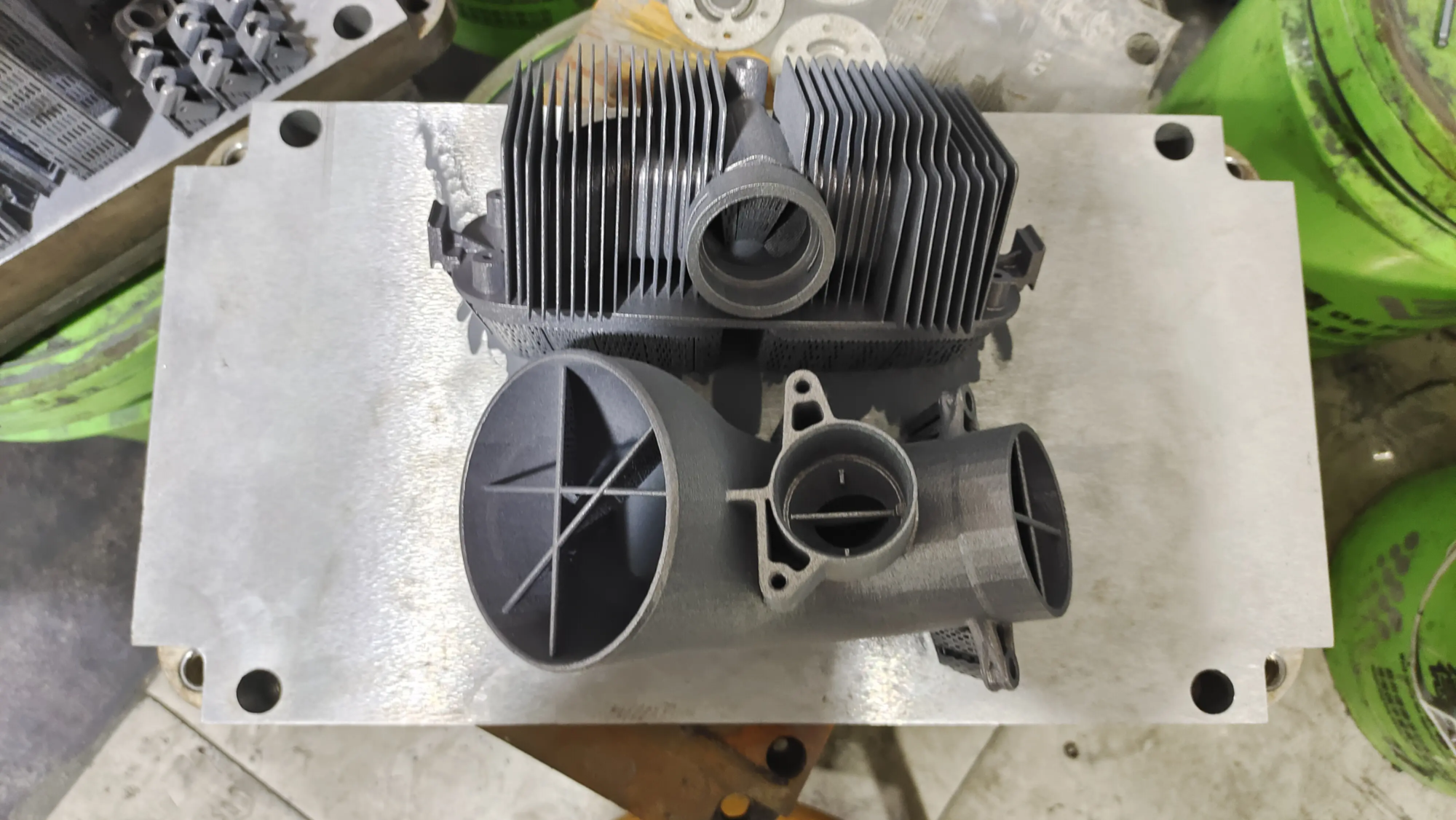
While desktop printers excel at ideation, scaling to complex designs often requires industrial capabilities. glow rapid prototyping Combining SLM (Selective Laser Melting) 3D printing with unrivaled craftsmanship bridges this gap.
Why work with Gretel?
- Advanced SLM Machine: Machining stainless steel, titanium, Inconel and aluminum alloys with micron-level precision.
- End-to-end post-processing: From stress relief and CNC finishing to polishing and coating—all done in-house.
- Custom materials: Metals, polymers and blends customized to aerospace, automotive or medical specifications.
- Speed and accuracy: Prototype within 24-72 hours with rigorous quality assurance on mission-critical parts.
as a pioneer China’s Rapid Prototyping PatternGreatLight ensures competitive pricing without compromising on quality, resulting in professional-grade manufacturing worldwide.
➡️ Customize your exact inspirational prototype today — get a quote GreatLight’s Rapid Prototyping Center.


