The ultimate DIY guide to making your own 3D printed Bulbasaur companion
Imagine holding a lifelike bulbasaur figurine you Create from scratch. A mixture of Pokémon nostalgia and tangible achievements is what makes 3D printing so fascinating. Whether you are an experienced manufacturer or a curious newbie, this guide will get you through every step of printing, perfecting and bringing your Bulbasaur to life. Let’s unlock the fun of DIY 3D creation!
Why 3D printing of Bulbasaur?
The iconic seed Pokémon (Bulbasaur) mixes organic curves with different geometric details – making it an ideal test to hone your 3D printing skills. In addition to nostalgia, the project teaches key technologies such as support management, surface finishing and painting. This is the portal to create custom Pokémon collections, gifts and even feature seeders!
Step by step guide
1. Find the perfect model
Start with sites like Thingiverse, cults3d or myminifactory. search "Bulbasaur Stl" and filter:
- Printability: Find pre-supported or optimized models for FDM/Resin printers.
- Level of details: Choose from simplified stylized versions to surreal sculptures.
- license: Make sure to mark the model Non-commercial use.
hint: Websites like Gambody offer quality prefabricated models that can be used for perfect printing.
2. Prepare the model
- Slicing software: Use Ultimaker Cura (FDM) or Lychee Slicer (resin). Import your STL and adjust settings:
- Layer height: 0.1-0.15mm, for high genetic resin; 0.15-0.2mm of FDM.
- support: Enable drape (e.g., Bulbasaur’s Bulb Vines). Automatically support work, but manual adjustments prevent scarring.
- filling: Statue 15–20%. If the bulb is printed as a seeder, it is 0% fill effect.
- direction: Angle Bulbasaur returns 30–45° to minimize support for facial details.
3. Print like a professional
- FDM printer (PLA/PETG):
- Nozzle temperature: 190–220°C (PLA), 220–250°C (PETG).
- Bed temperature: 60°C. Use adhesive auxiliary tools such as glue sticks.
- Enable "Z-HOP" and "coastal" Prevent skewers on the vines.
- Resin printer:
- Layer exposure: 2–3 seconds. Easy to remove using a bent plate.
- Hollow model (2mm wall) to save resin.
4. Post-processing magic
- clean:
- Resin printing: Soak in isopropanol, rinse, and then soak in ultraviolet rays.
- FDM Printing: Trim the support with rinsing cutter.
- Grinding: Start the coarse (120 particle size) of small pieces, complete the fine (600+ grit) for smoothness. Focus on seams and support scars.
- start up: Apply spray filler. Revealing the imperfections of reinstallation.
- painting:
- The spray gun creates gradients (such as the blue-green skin of Bulbasaur).
- Hand-painted details with acrylic preparation: use green shades, red eyes.
- finishing: Sealed with matte varnish for durability. Gloss varnish adds gloss to the eyes or light bulbs.
5. Creative Change
- Functional seeder: Scale the hollow bulb in the CAD software and add drainage holes.
- Glowing in the darkness: Use phosphorescence PLA to glow ethereal nighttime.
- Multicolor: Print the vines in green and then assemble them.
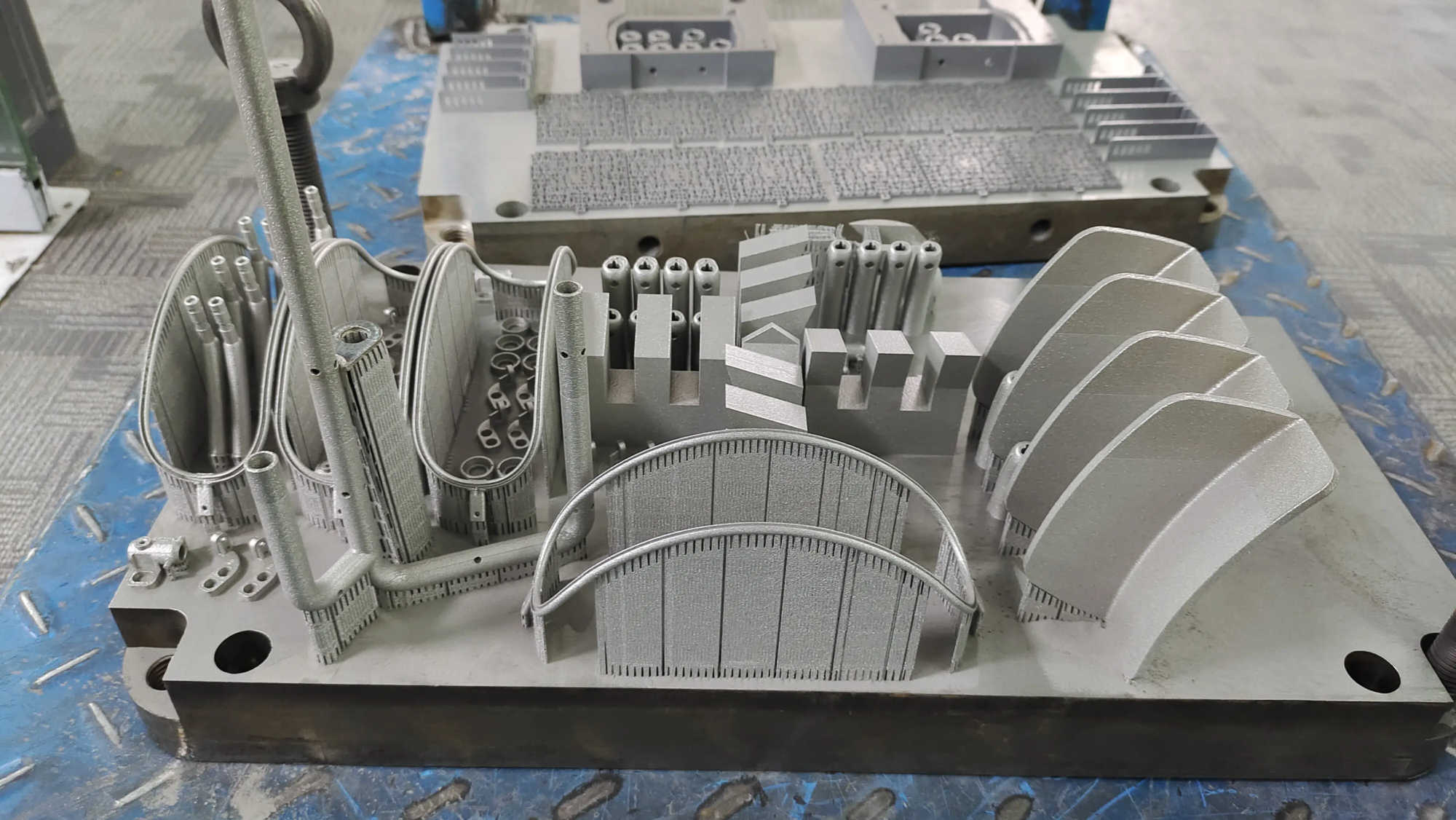
notes: Gallery level can be achieved when house printers are good at creative projects Metal Bulbasaurs (e.g., stainless steel) require industrial grade technology. This is a service like this Great shine. Their advanced SLM (Selective Laser Melting) 3D printers empower creators to produce complex, reliable metal parts – perfect for heirloom quality statues or jewelry-grade final products. Plus, their post-processing team can handle polishing, plating or shading, so you skip the messy work.
in conclusion
Made 3D printed Bulbasaur fusion of art, engineering and pure fanatic joy. From the final details of choosing a model to brushing teeth, the journey democratizes manufacturing in a way that is still magical. However, we recognize that not everyone has a printer or a time to do it carefully. That’s the beauty of today’s hybrid DIY landscape: make it yourself or Work with experts Great Realize your vision exactly – whether in polymers, resins, or aviation grade metals. They can solve everything from rapid prototyping to finishing, so you focus on design. Ready to print? Grab that STL and start building your pocket monster army!
FAQ: Your 3D Printing Bulbasaur Question has been answered
Q: What is the easiest 3D printer for beginners who make Bulbasaur?
A: FDM printers like Creality Ender 3 (PLA filament) offer affordability and low complexity. Resin printers such as Anycubic Photon offer higher details, but involve chemical treatments.
Q: Can I print Bulbasaur with flexible filament?
Answer: Yes! TPU silk is suitable for soft figurines. Use slow print speeds (<30mm/s), disabled withdrawal and direct drive.
Q: Why is metal Bulbasaur printing so expensive?
A: Industrial metal 3D printing (such as SLM) uses expensive machines and materials. Post-treatment (such as polishing) increases labor. Services like Greatlight optimize this through economies of scale.
Q: How to scale Bulbasaur without distorting details?
A: Scale evenly in slicer software. For planted versions (15 cm tall), increase the wall thickness to prevent cracking.
Q: Can professionals print my custom Bulbasaur design?
Answer: Absolute. The company likes it Great Use an industrial printer to convert digital files into physical parts and provide finishes (sanding, primer, painting) upon request.
Q: Is it legal to sell 3D printed Bulbasaur characters?
Answer: Only design the model yourself. Unless used by individuals, fan art using copyrighted characters has the potential to infringe on rights.
Q: What is the toughest material for outdoor bulbasaur seeders?
A: PETG (FDM) or resin printed with UV-resistant epoxy resin. For permanent installations, consider stainless steel prints.
Q: How does Greatlight ensure the accuracy of complex models?
A: Their SLM printer lasers – fix metal layers with micron-scale accuracy. CNC-based post-processing ensures perfect size.
Turn your vision into reality – whether it’s tinkering at home or leveraging professional services. Your Bulbasaur adventure begins now. 🌱🖨️